UI/UX Design Project - mobile design
Timeline:
4 months
Project Type:
Conceptual
Role:
UI/UX Designer
Tools Used:
Figma, FigJam, Google Forms
The grocery shopping experience presents several challenges. Shoppers often find themselves overwhelmed by the sheer number of options, leading to overspending or poor food choices. For many, the lack of a structured approach to shopping results in wasted time, unnecessary purchases, and a lingering frustration that impacts their personal and financial well-being. The idea for AislesAway stemmed from my own experiences of struggling with inefficient shopping habits, often buying items I didn’t need or forgetting essential ones, which compounded feelings of stress and guilt.
Make navigation through aisles easy.
Make the experience fun and fill the user with a sense of accomplishment at the end.
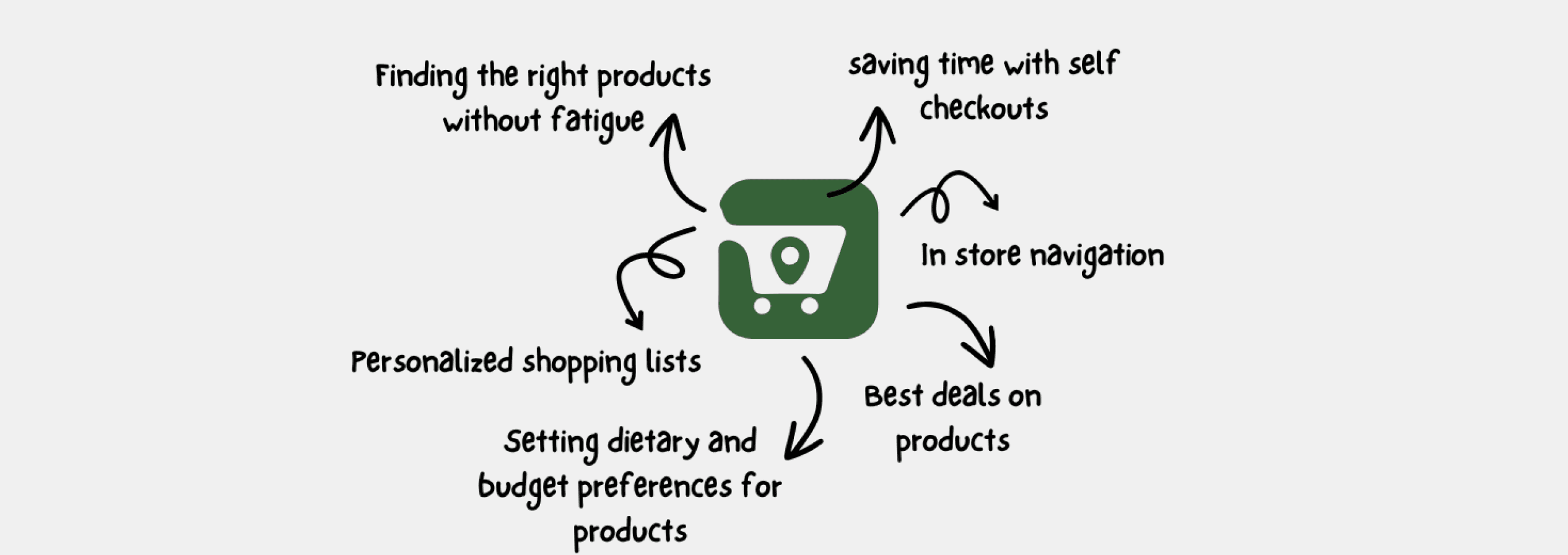
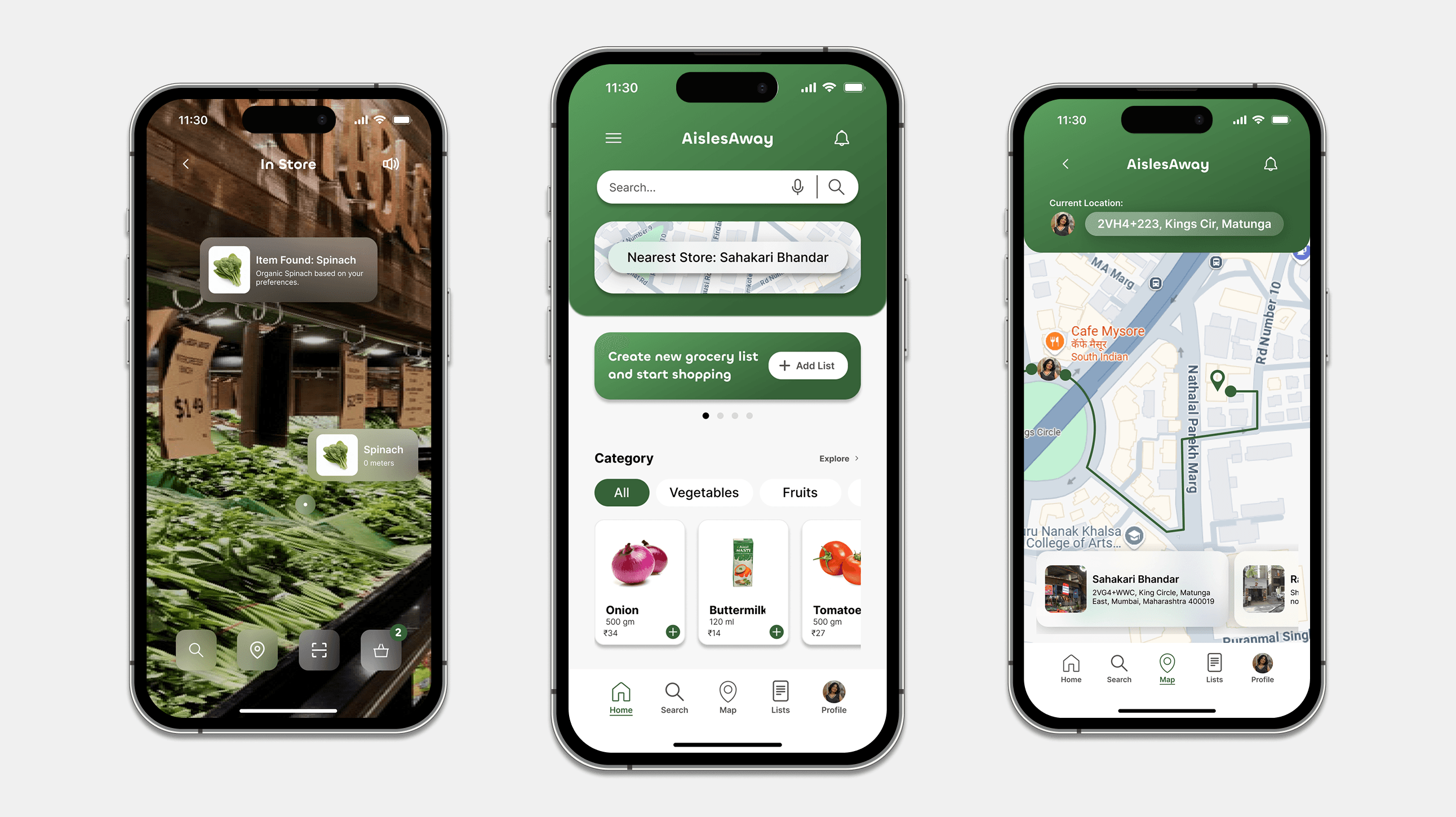
AislesAway is designed to simplify and enhance the grocery shopping experience, right from planning to checkout, AislesAway does it all.

Proactive planning tools like customizable shopping lists and scan-to-add features help reduce decision fatigue and increase user confidence, paving the way for a stress-free shopping journey.
A location-aware, immersive experience bridges the gap between digital planning and physical execution, transforming in-store shopping into a guided, efficient, and informed journey. A seamless checkout flow with instant digital receipts ensures closure and clarity, reinforcing trust while enabling tracking, returns, and reflection on spending habits.


Personalization through profiles, preferences, and behavior tracking allows the app to learn from the user adapting recommendations and interface elements to align with lifestyle, needs, and values.
Want to experience AislesAway yourself? Try out the Figma Prototype below! :)
Prototype Link
Goals: To identify shopper preferences and pain points throughout the entire grocery shopping experience, from pre-shopping preparation through in-store activities.
Can you tell me about your typical shopping routine?
How do you feel about grocery shopping in general?
What’s your biggest challenge while shopping?
Do you know where the products you want are? How much time do you usually spend shopping?
How likely are you to use an app to make your grocery shopping experience better?
All interviewees expressed that their experience is heavily influenced by the time and convenience. Their decisions are factored by the time and place they shop, time they spend finding the right products and at checkout.
QUOTE
"It’s hard to find specific items, especially when they’re in different sections. I end up wasting time searching."
-_Nora Allen
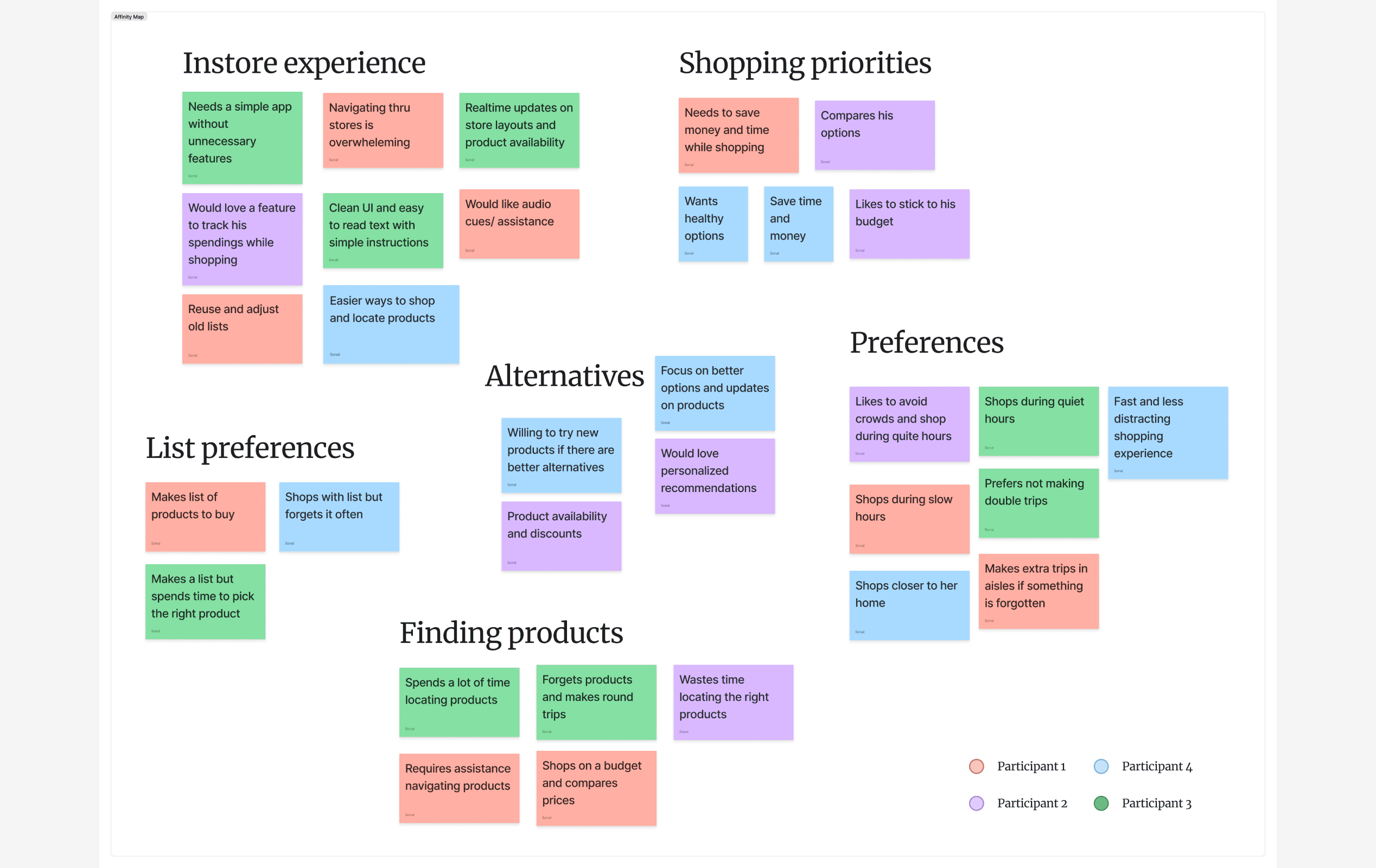
Organizing the notes, quotes, and data from my research through affinity mapping.
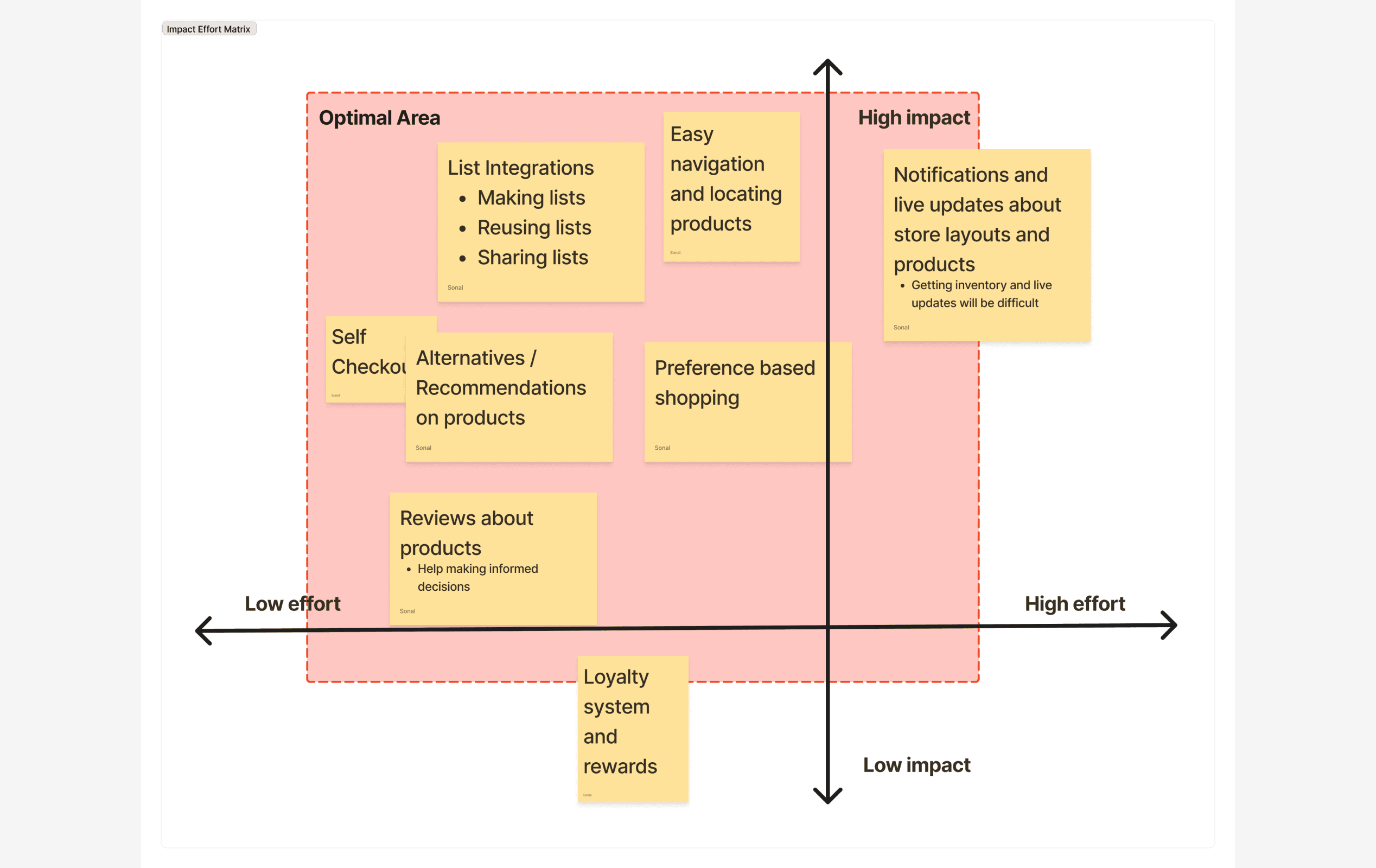
Prioritizing design work with Low/High Effort and Impact Matrix
Simplify and Assist Navigation: Many shoppers struggle with navigating stores and locating products, which can make the shopping experience overwhelming. This highlights the importance of clear guidance and support while shopping.
Optimize for Time and Budget: Time and money are key priorities for most shoppers. They value efficiency in completing their tasks without unnecessary detours or delays and want to ensure their purchases align with their financial goals.
Personalized and Stress-Free Experience: Many shoppers value a stress-free environment, preferring to shop during quiet hours or avoid situations that require additional trips. This reflects a desire for control and predictability in their shopping routines.
Real-time updates about store layouts, product availability, and intuitive assistance could address this challenge, ensuring shoppers feel less frustrated during their visits.
Tools like price comparison, budget tracking, personalized recommendations, and reminders for forgotten items can enhance their shopping efficiency.
Providing insights into less crowded times, enabling reusable lists, and offering personalized product updates would cater to these preferences.
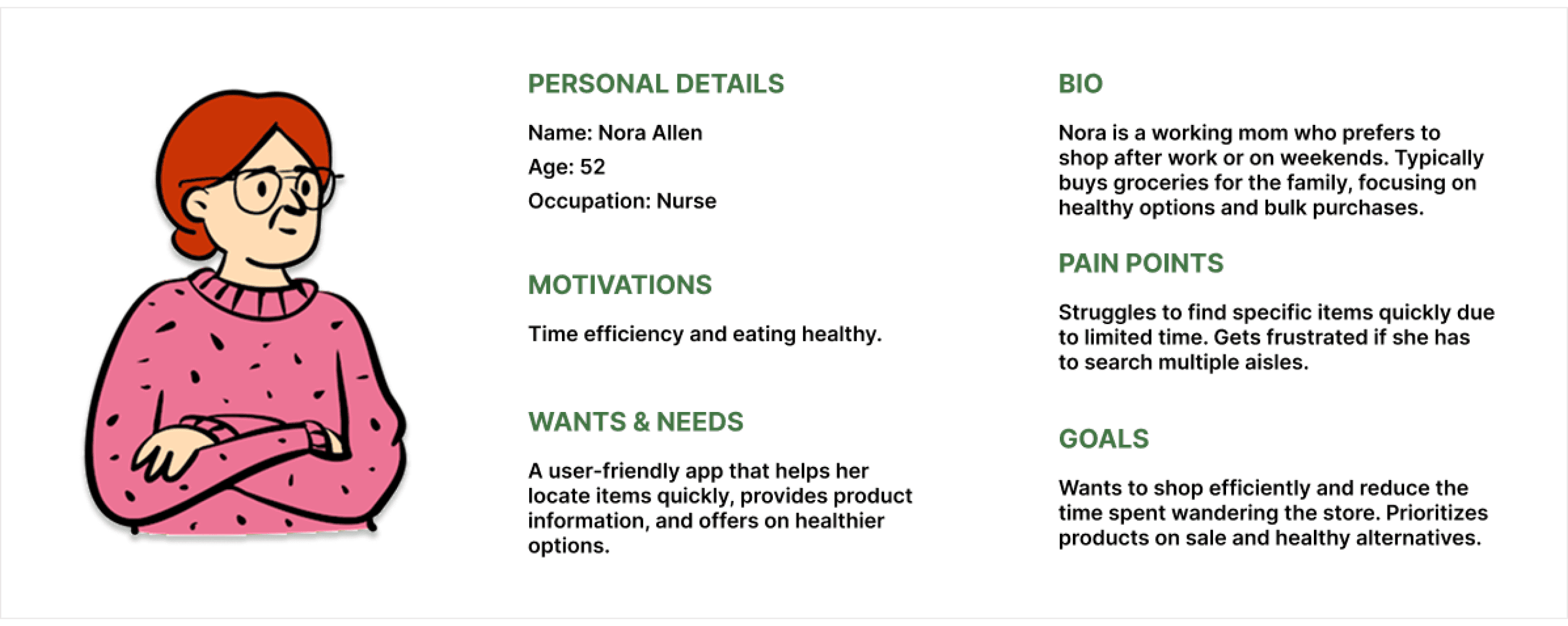
Nora Allen Persona
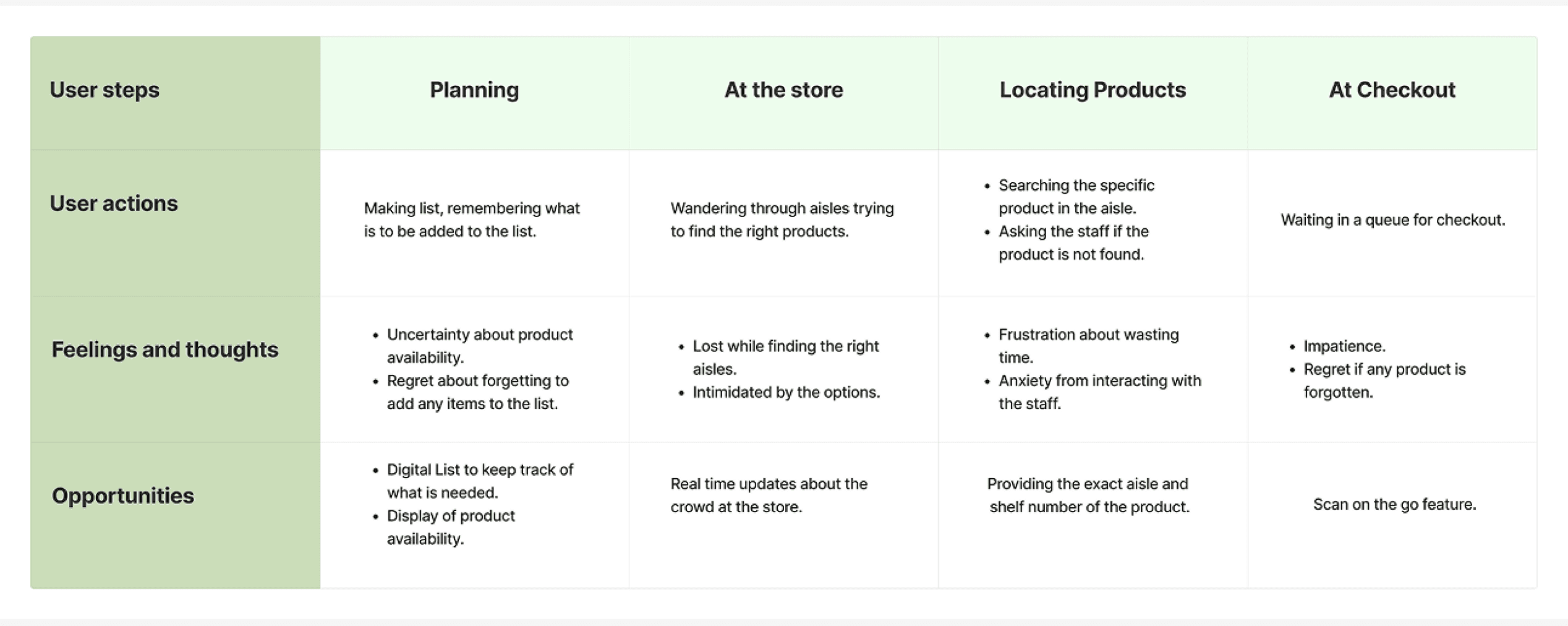
User Journey for Nora Allen
I found it helpful to build a persona because it gave me a clearer visualization of who I was designing for. In order to see how I could help Nora, I charted out all of her actions from planning to checkout to identify opportunities for help.
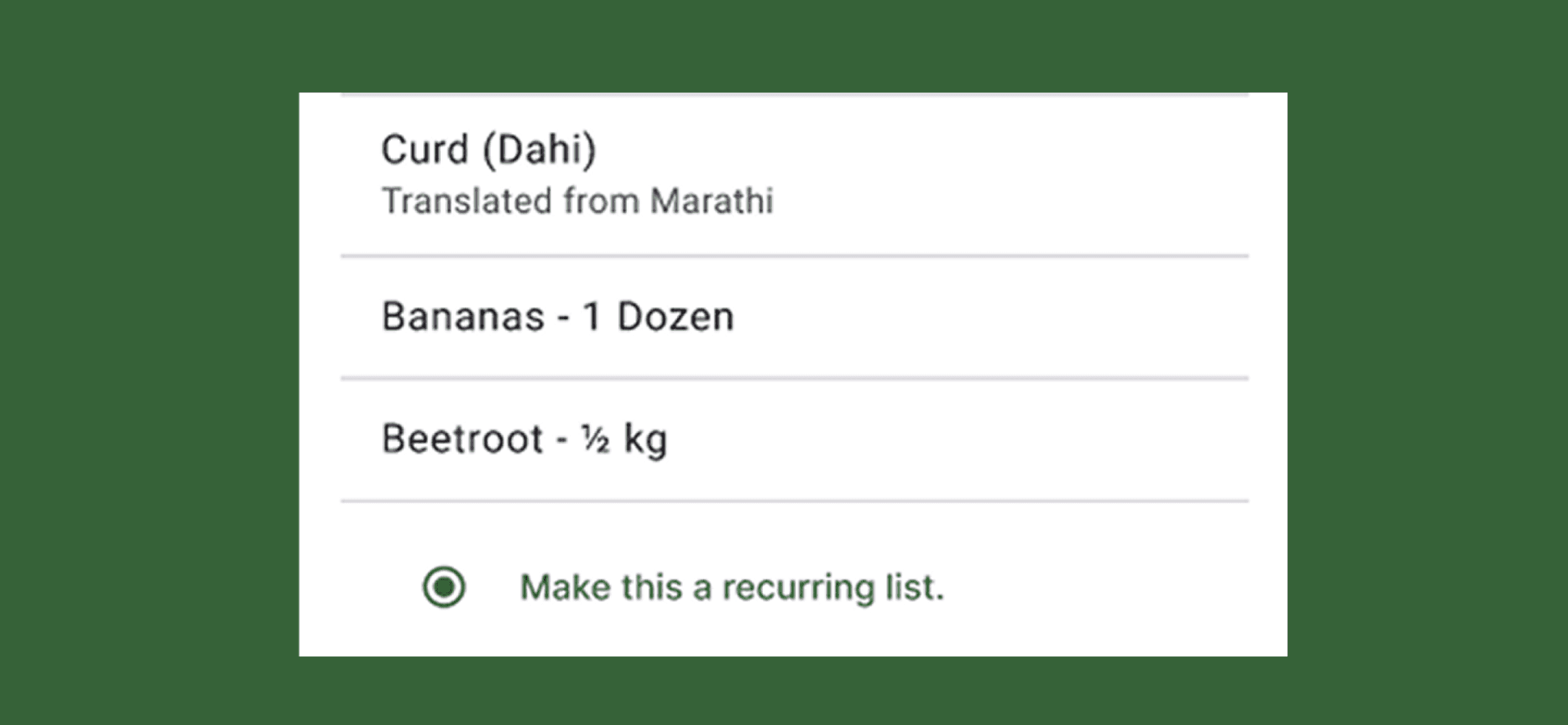
List Alterations
Referring back to my research I found that ‘Recurring lists’ was something the users found useful. After testing I added a radio button for it.
People often make their grocery lists in their native languages, hence I added an auto translate for languages while still keeping the original list content so as to not confuse the user while shopping.
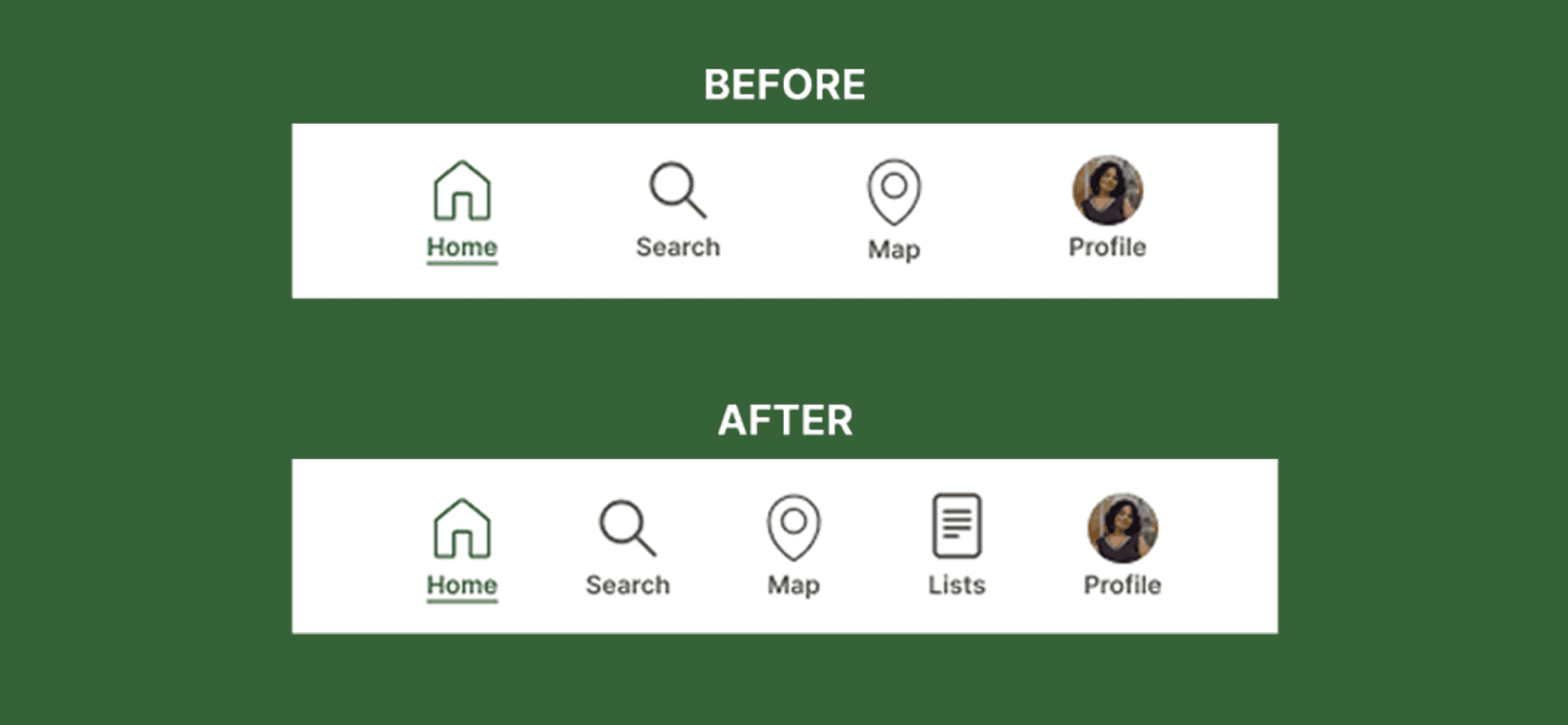
In Store Navigation
Testers expressed that they couldn’t directly navigate to the map/list while shopping, so I included a map button to open an overlay of the map.
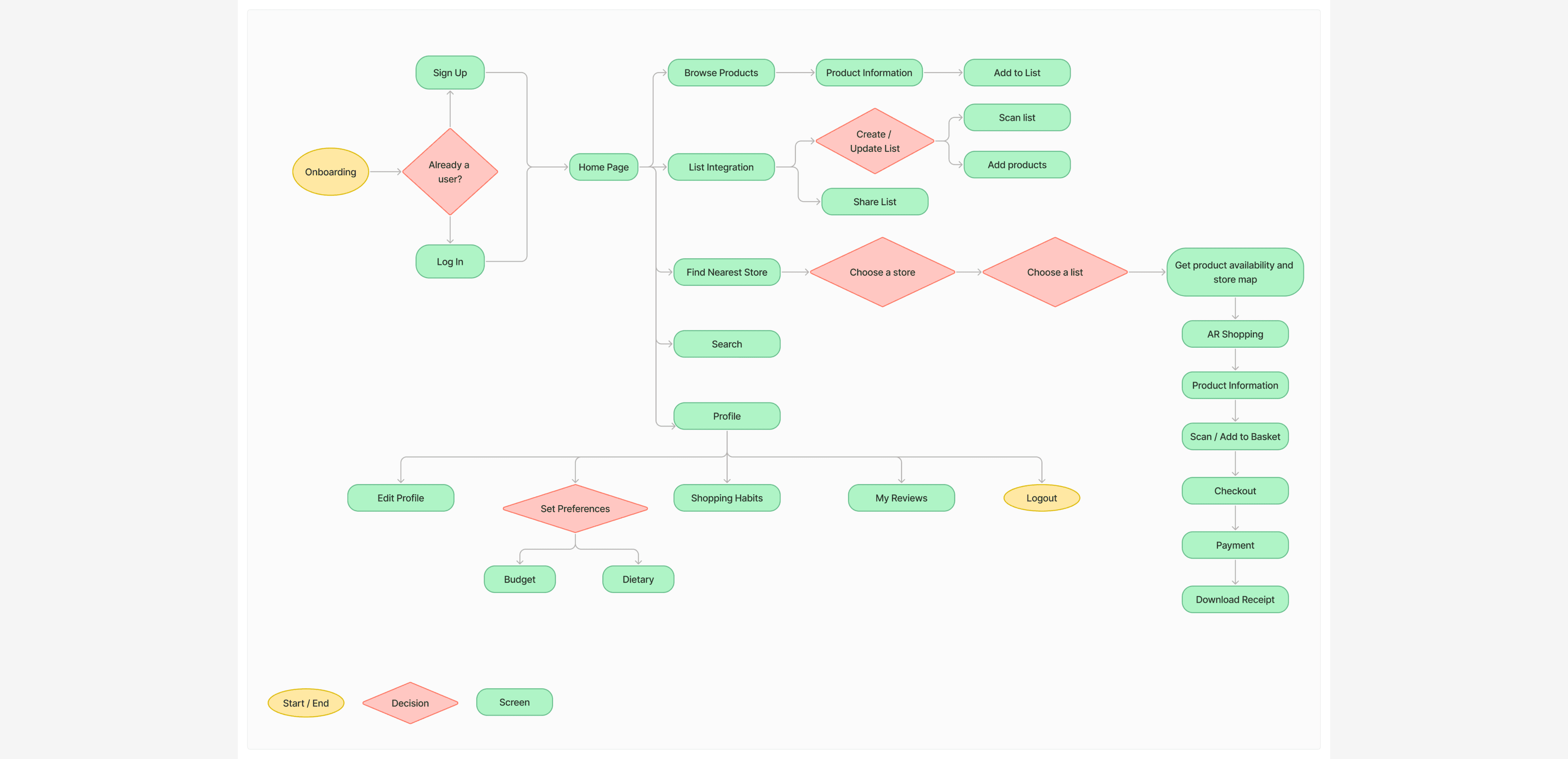
AislesAway User Flow
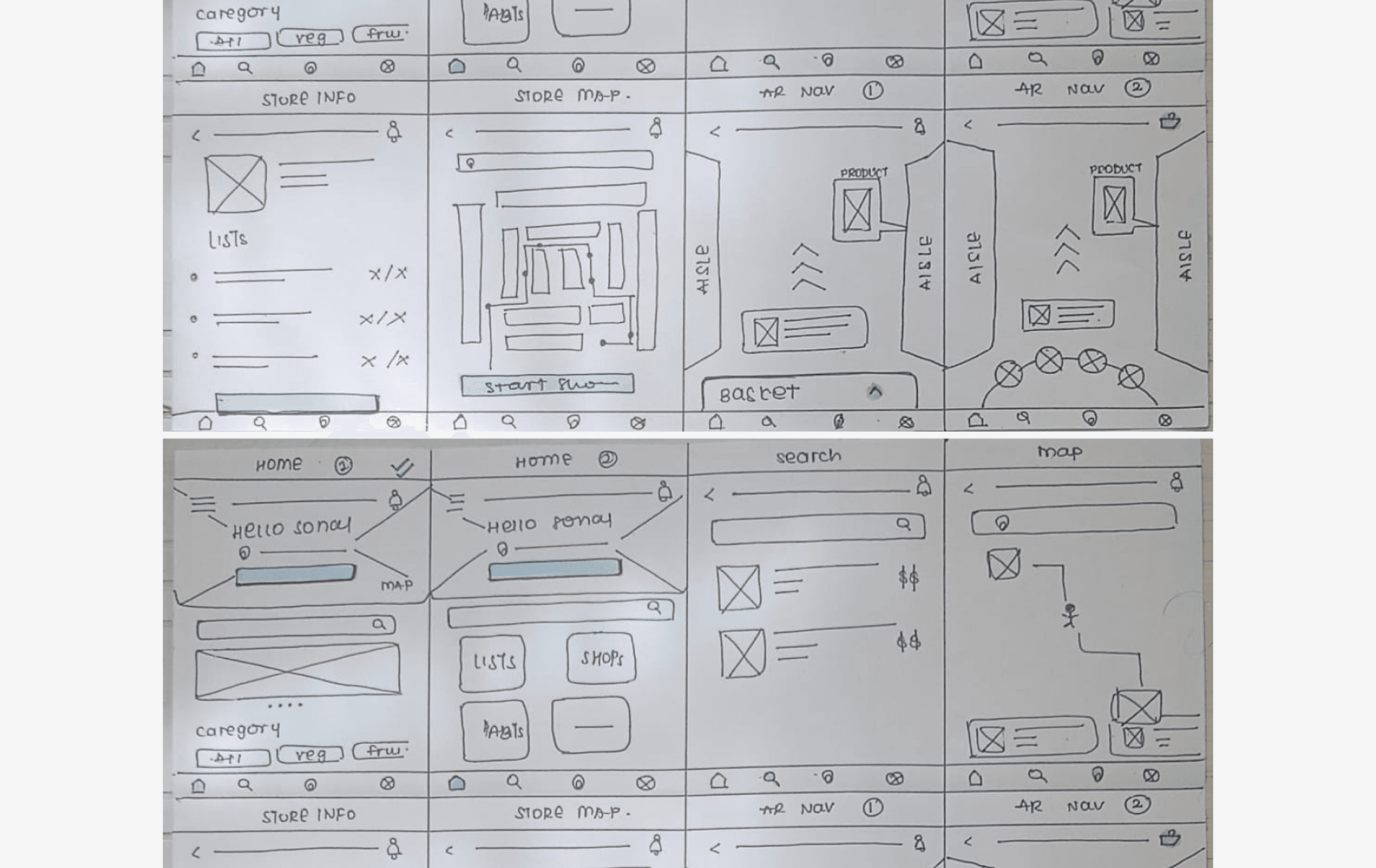
Paper Wireframes
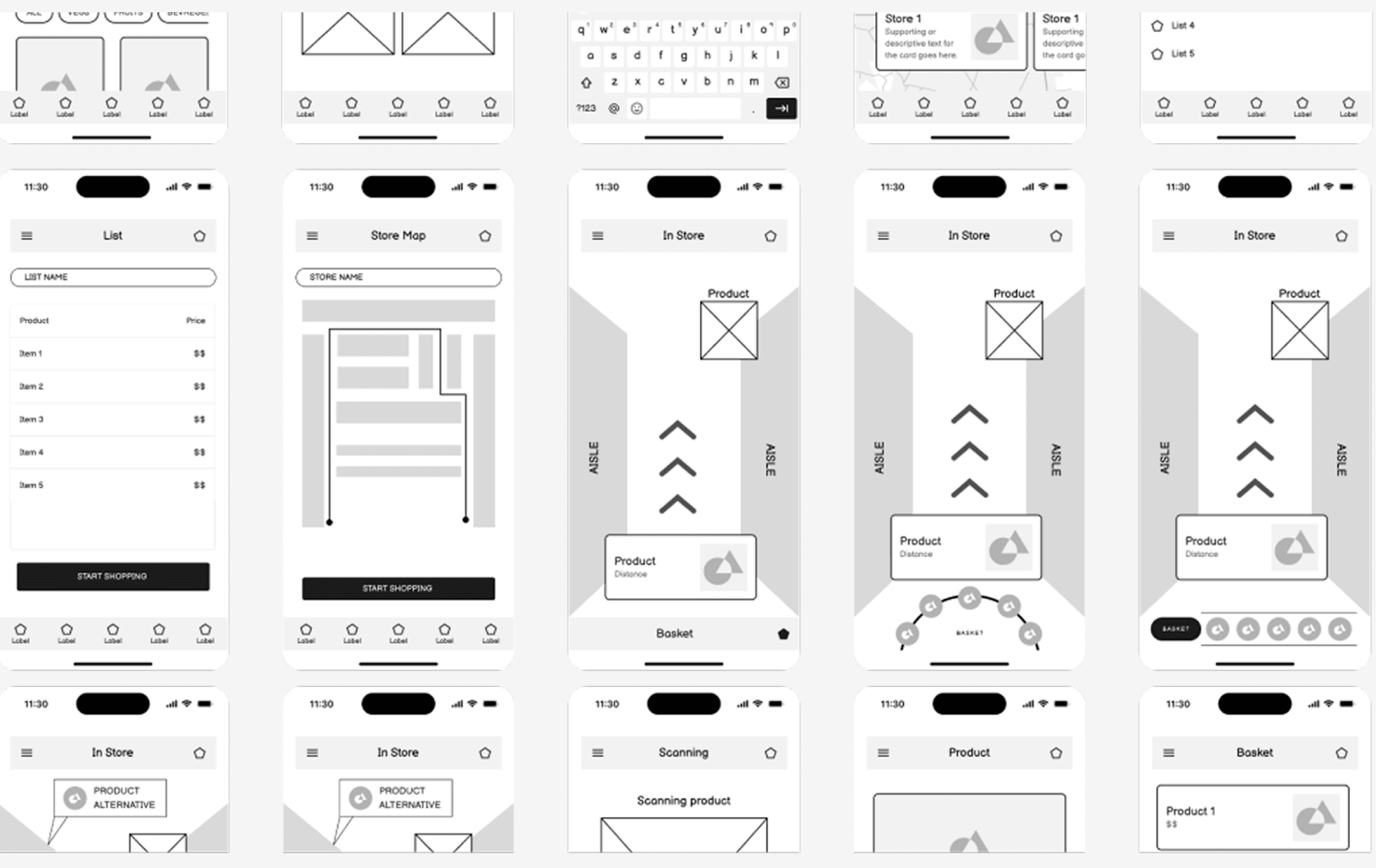
Digital Wireframes
USABILITY TESTING
At this stage i wanted to test out the basic processes and get feedback early on. I asked the following questions to the users:
How easy was finding the nearest store and selecting a list?
Where they able to successfully shop for products on the list?
If there were features/information missing they would have found useful?
How they felt about the process?
INSIGHTS: POSITIVE FEEDBACK & SCOPE OF IMPROVEMENT
Positive Feedback:
Drag interactions in the in-store were well received.
Testers preferred labelled buttons for in-store functions.
Scope for Improvement:
“Start Shopping” button on the home page confused the users as to what it was supposed to do. Testers weren’t able to view the map or the list of products once they started shopping.
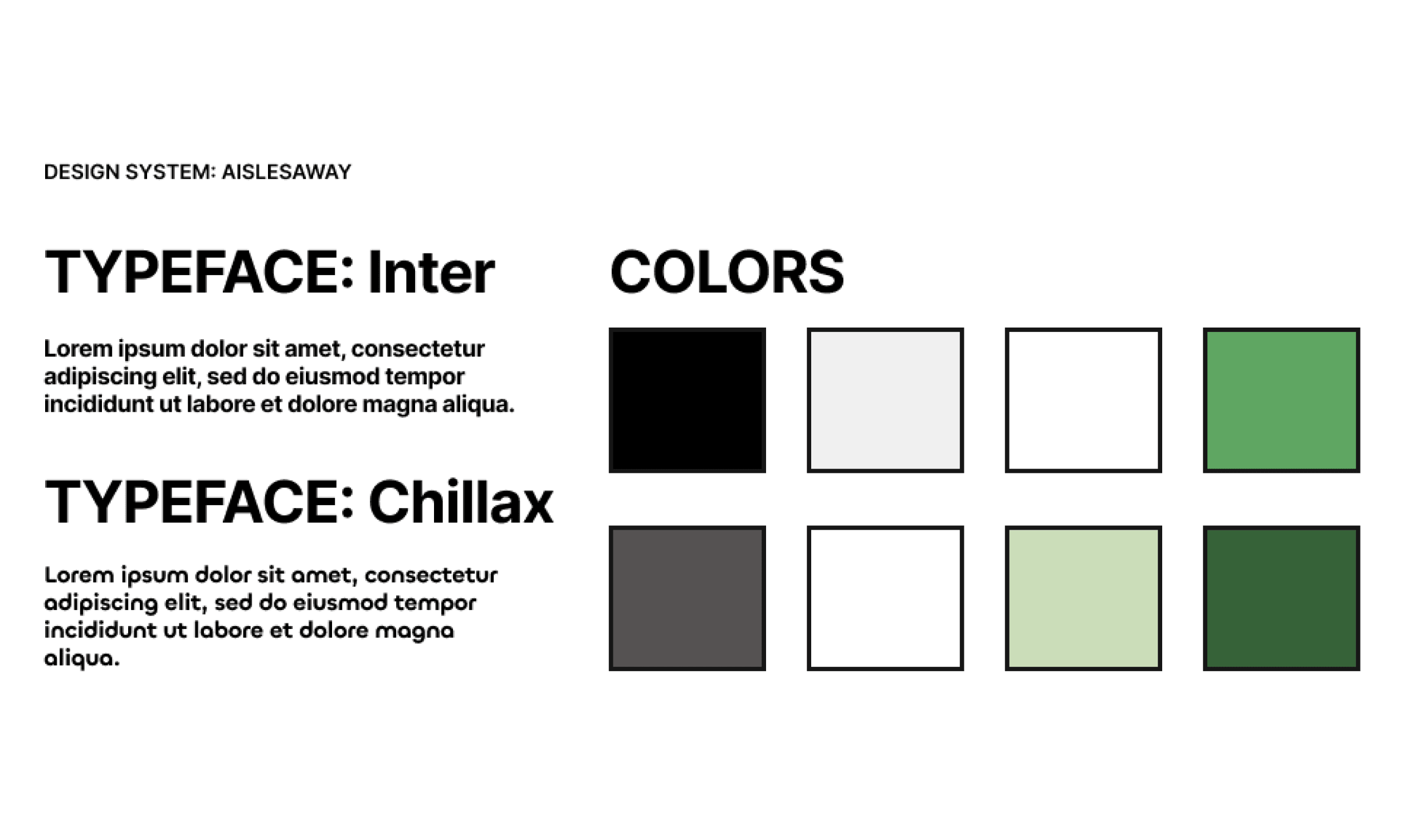
AislesAway Typeface, Icons, Colors
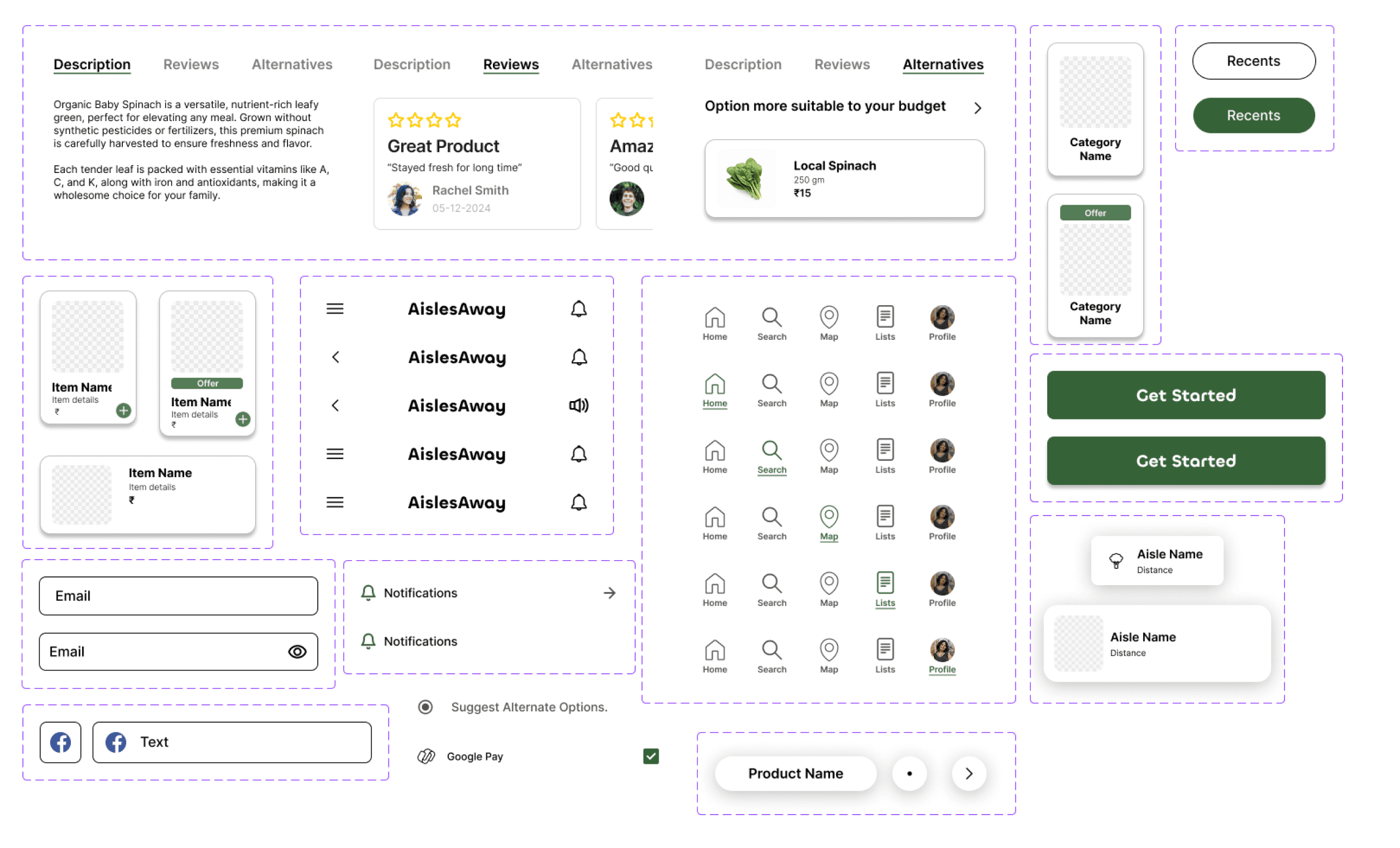
AislesAway Components
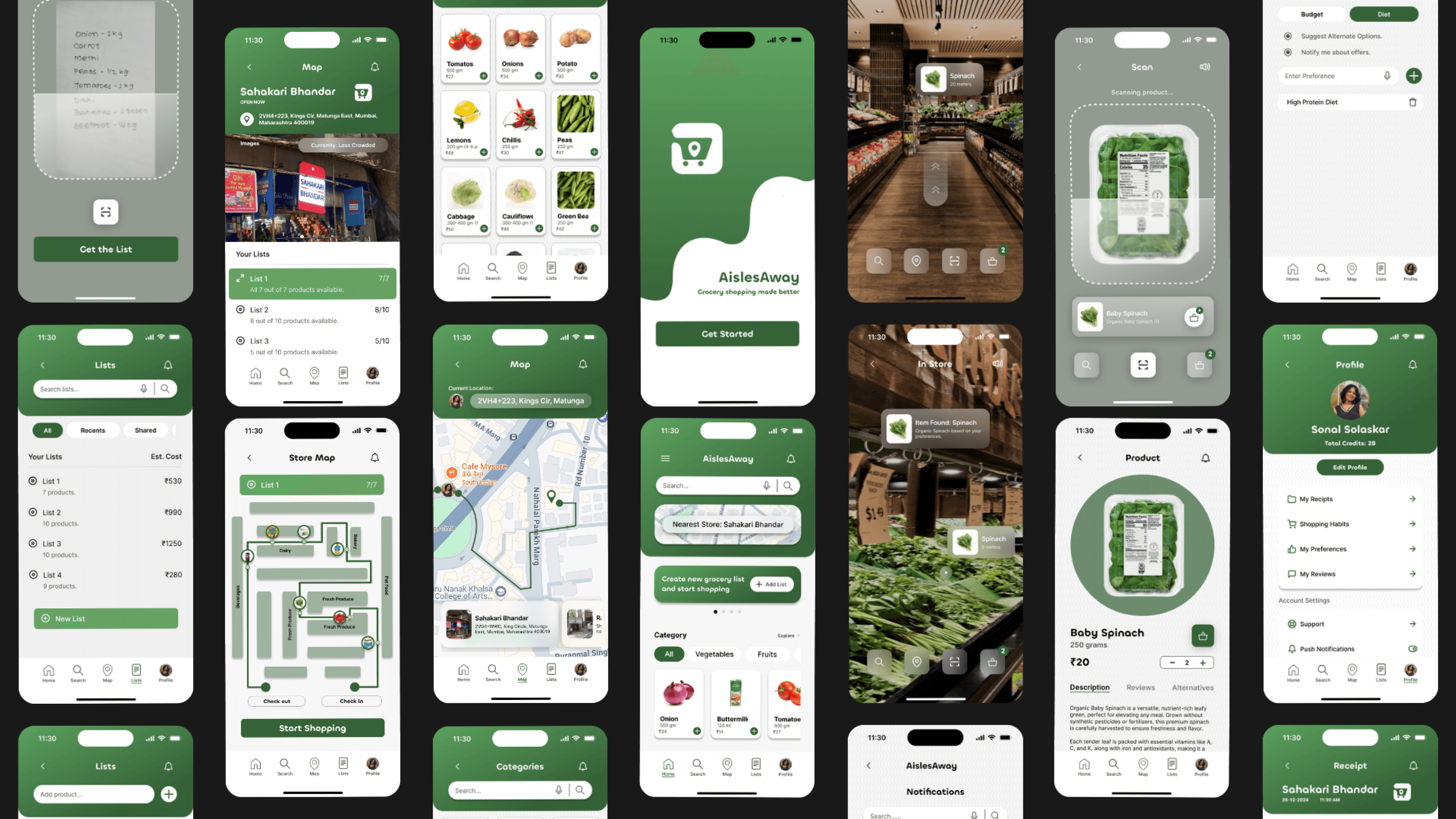
Final Screens
After spending months on researching, testing, and repeatedly iterating on my designs, it has resulted in a project I’m proud of. This is my first ever UX case study and I still believe there is scope of improvement.
WHAT I LEARNT
It’s always good to ask for feedback from people, at times I got stuck on a design or concept and needed an outside perspective to help bring clarity to the final outcome.
Reflecting on my research at every other step, helped me focus on goals and uncover any important points I had missed previously.
Quickly prototyping on paper and digitally helped me identify pain points early on.
Every challenge I faced taught me more about problem solving and helped me grow as an UX designer!
EDITORS NOTE
For future projects, I'd like to improve more on my research methods. The sample for my research consisted of my family and friends and I’d like to broaden the horizon and conduct interviews with a larger and more diverse audience. Designing this app was an amazing experience and made me more confident that this is the career I want to pursue :)
Got a creative idea? Let's Connect!
Whether you’re building something from scratch or just want to brainstorm an idea, I’d love to hear from you.