Reporting on Design Decisions That Shape Digital Experiences
UI/UX Design Project - Web Design
How convenient would it be if college students could make their schedules with times and professors of their choice? Students would have the luxury of being the master of their schedules.
This idea was experimented in my college, although certainly not successful. The website’s interface had so much potential to make the student’s experience hassle-free and make the process efficient for a satisfactory user experience. So I have decided to tackle all the issues the website faces and make it a better experience for every user
GOALS PRIORITIZED
Provide seamless experience throughout the process.
Help user get their desired schedule with ease.
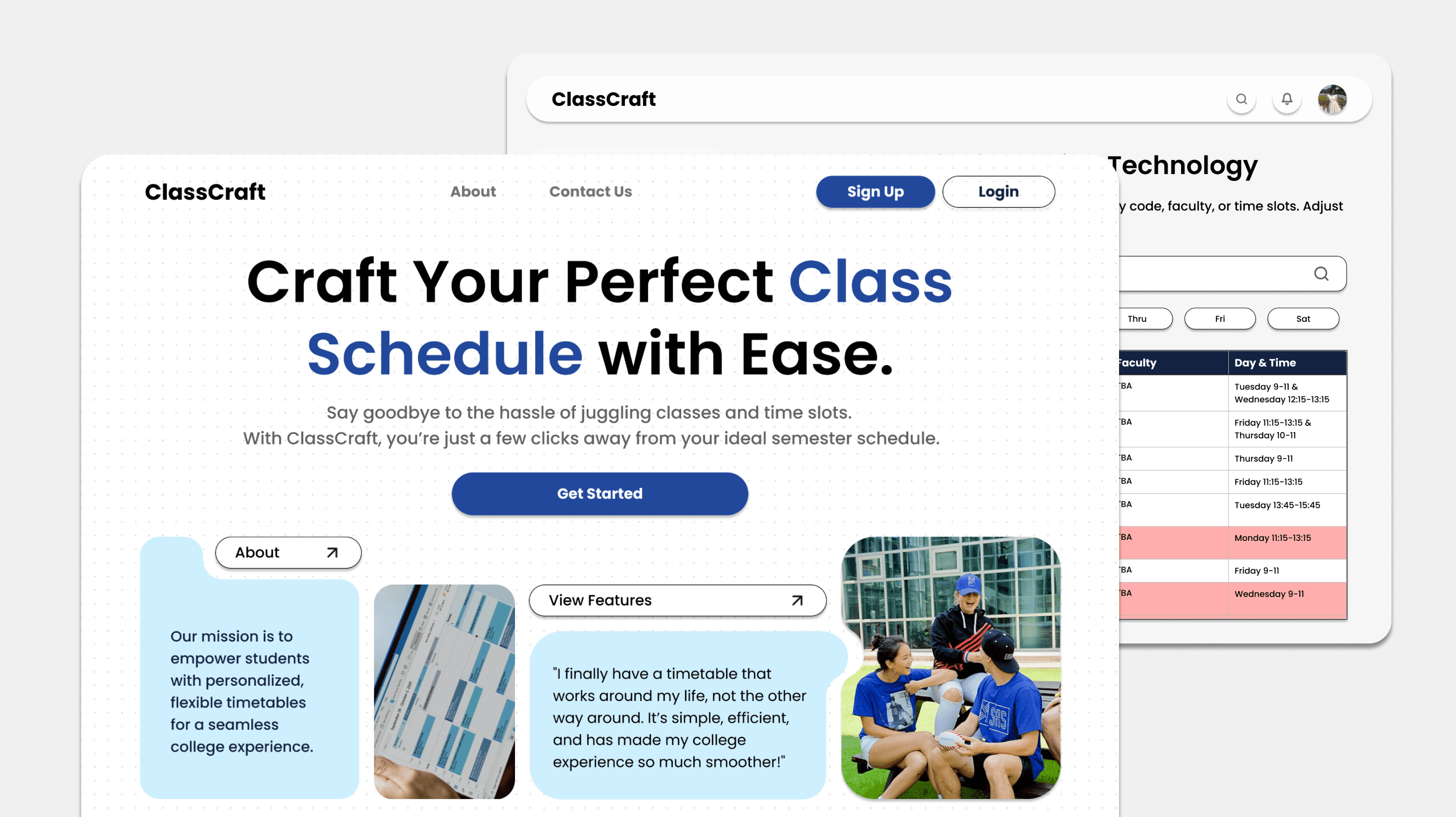
ClassCraft is a website that focuses on addressing critical usability issues in the current system, this redesign aims to transform a painful scheduling process into a seamless experience that empowers students to make informed choices about their academic journey.

The onboarding experience is intentionally linear and frictionless. Users are met with clear calls to action and minimal decision fatigue. By reducing visual clutter and providing quick access to key actions and users are swiftly guided into the system. The design ensures trust, transparency, and familiarity, resulting in faster onboarding and higher first-time completion rates.
Slot selection integrates usability heuristics like visibility of system status and user control. With sortable columns and filters, users can compare, select, and adjust class timings without guesswork. The experience minimizes frustration by preventing dead ends, users can always backtrack or re-filter, preserving a sense of control.


The calendar interface leverages visual affordances to map time and tasks effectively. It supports mental models of a traditional calendar while enhancing interaction through clickable slot details. This approach helps users visually comprehend their workload, identify gaps, and manage overlaps.
Want to experience ClassCraft yourself? Try out the Figma Prototype below! :)
Prototype Link
How easy was it to find and choose your desired course slots?
Were you able to easily compare different course slots for scheduling conflicts?
What were the major issues that you faced while filling the slots?
Is there anything else you'd like to share about your experience using it?
How helpful were the course descriptions in making your decisions?
What aspects of the navigation menu were most problematic?
Participants expressed that while creating an optimal schedule for a semester in a limited time, they struggled with conflicting course schedules, limited awareness of available options and possible scheduling conflicts, lack of flexibility and control.
These factors paired with the lack of a user-friendly and efficient scheduling system lead to frustration among users, wasted time in manually checking for conflicts and an unsatisfactory schedule.
QUOTE
"It was difficult to effectively find the slot you were interested in, it was time consuming to map course code with course and while we do this the slot was full."
-_Rutuja Bangera
Unintuitive Design
Students were forced to waste valuable time manually checking for schedule conflicts
No Course Clarity
There was no possible way of distinguishing between the courses and slots
Navigation
With a short registration window, students found navigation between pages a major issue
Slot Availability
Students were not able to identify where or not a slot had full enrollment
I conducted a survey and sampled the viewpoints people had towards the registration process and how their decisions were impacted.
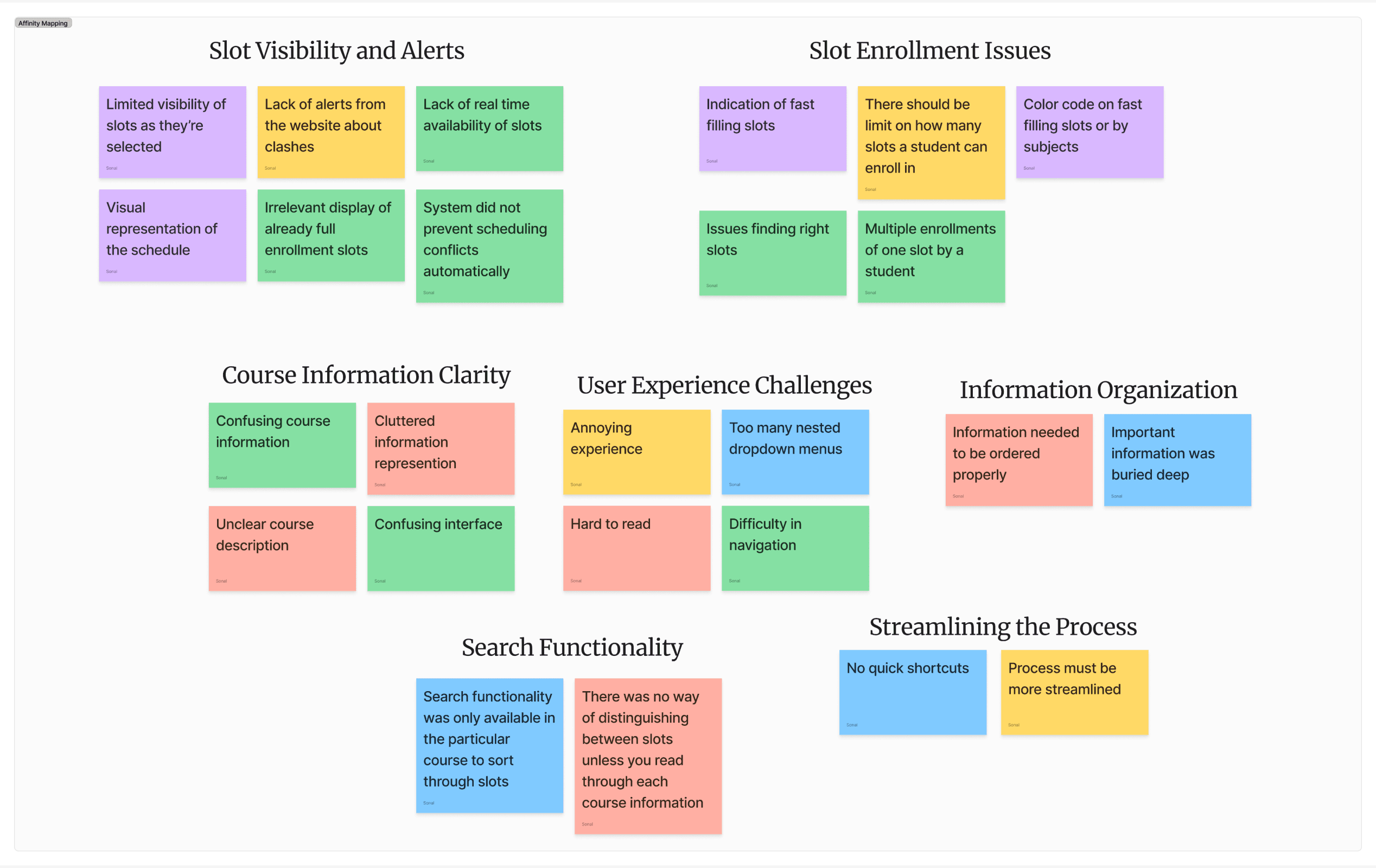
Organizing the notes, quotes, and data from my research through affinity mapping.
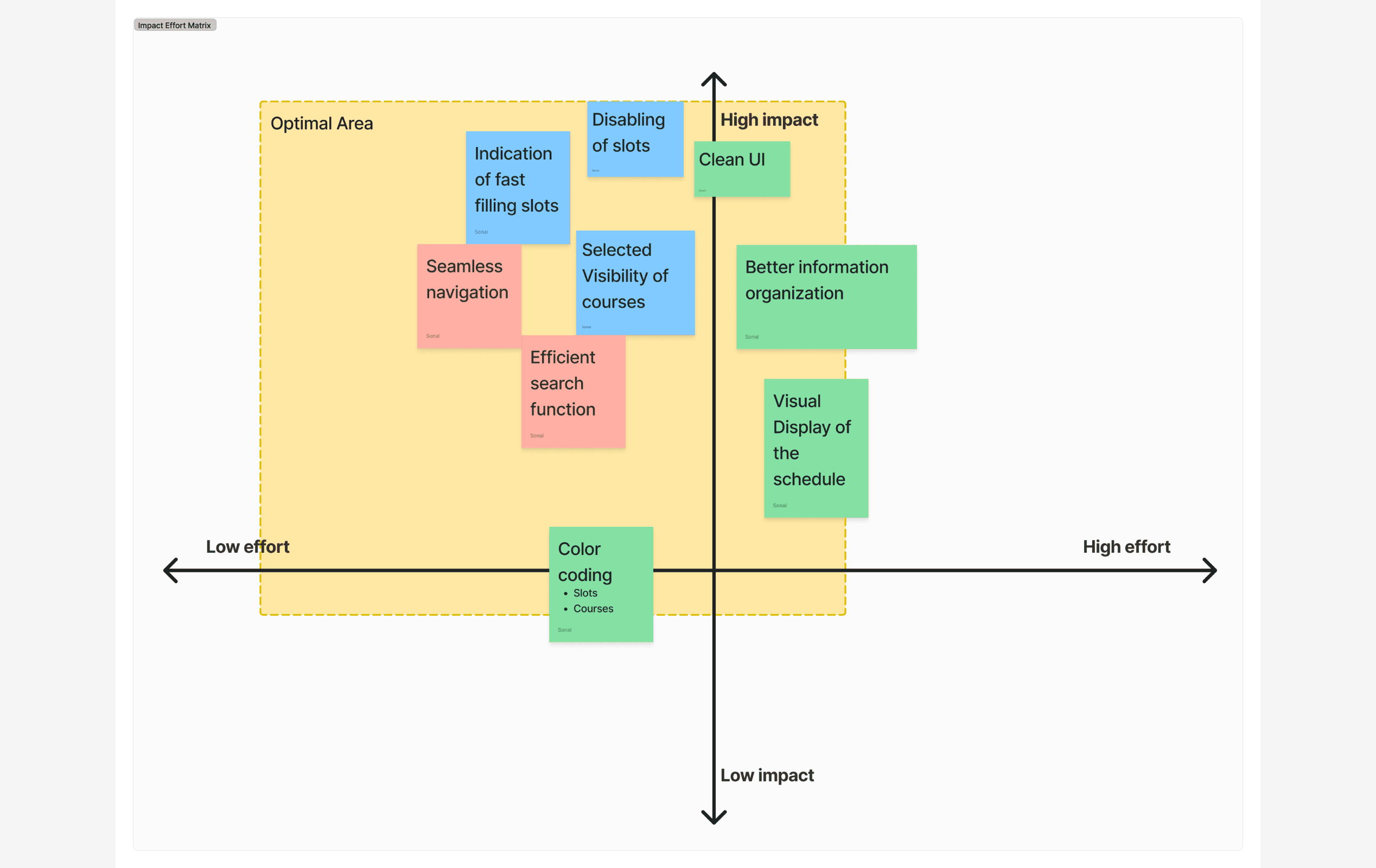
Prioritizing design work with Low/High Effort and Impact Matrix
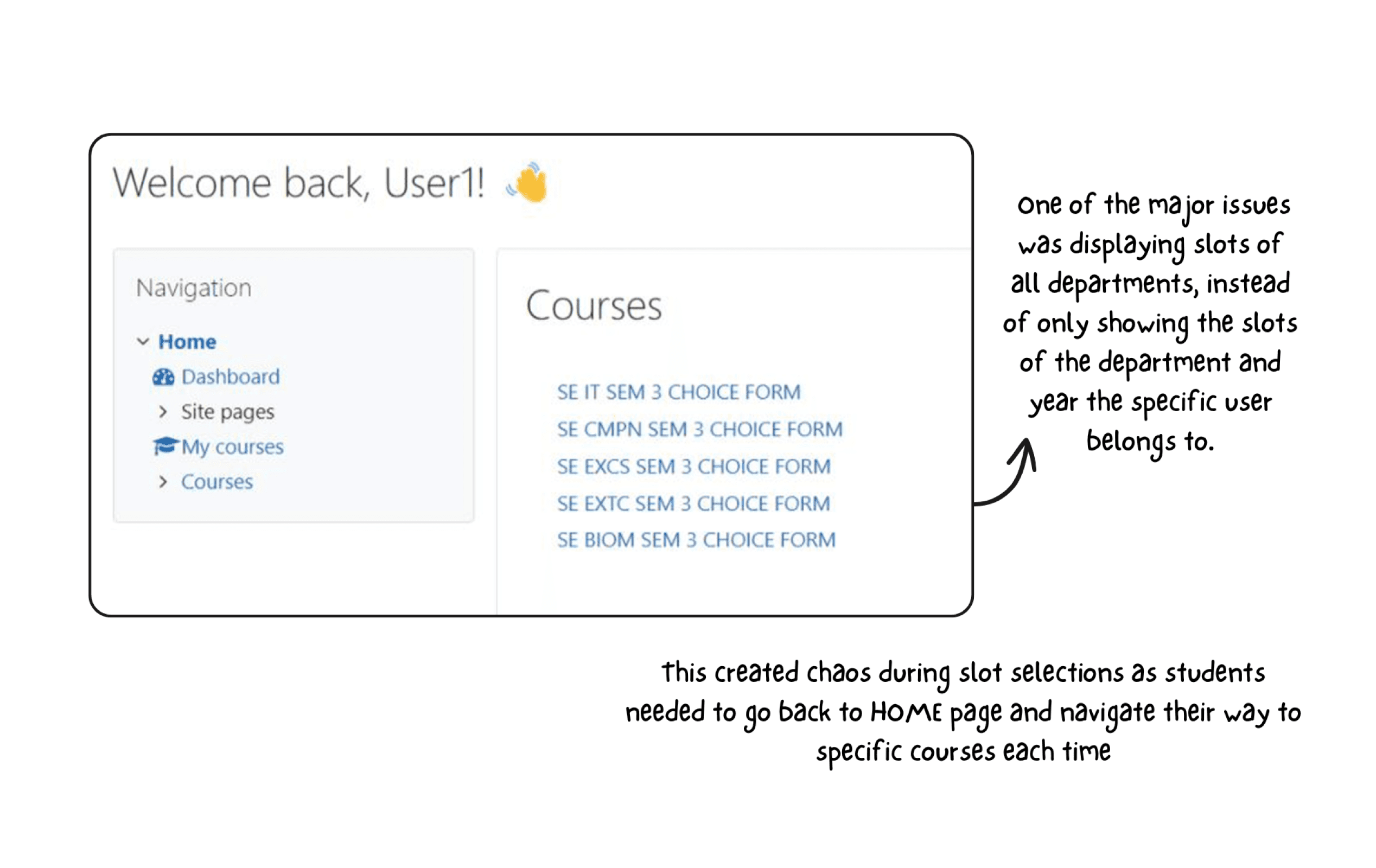
ISSUES: Display of other departments + Navigation
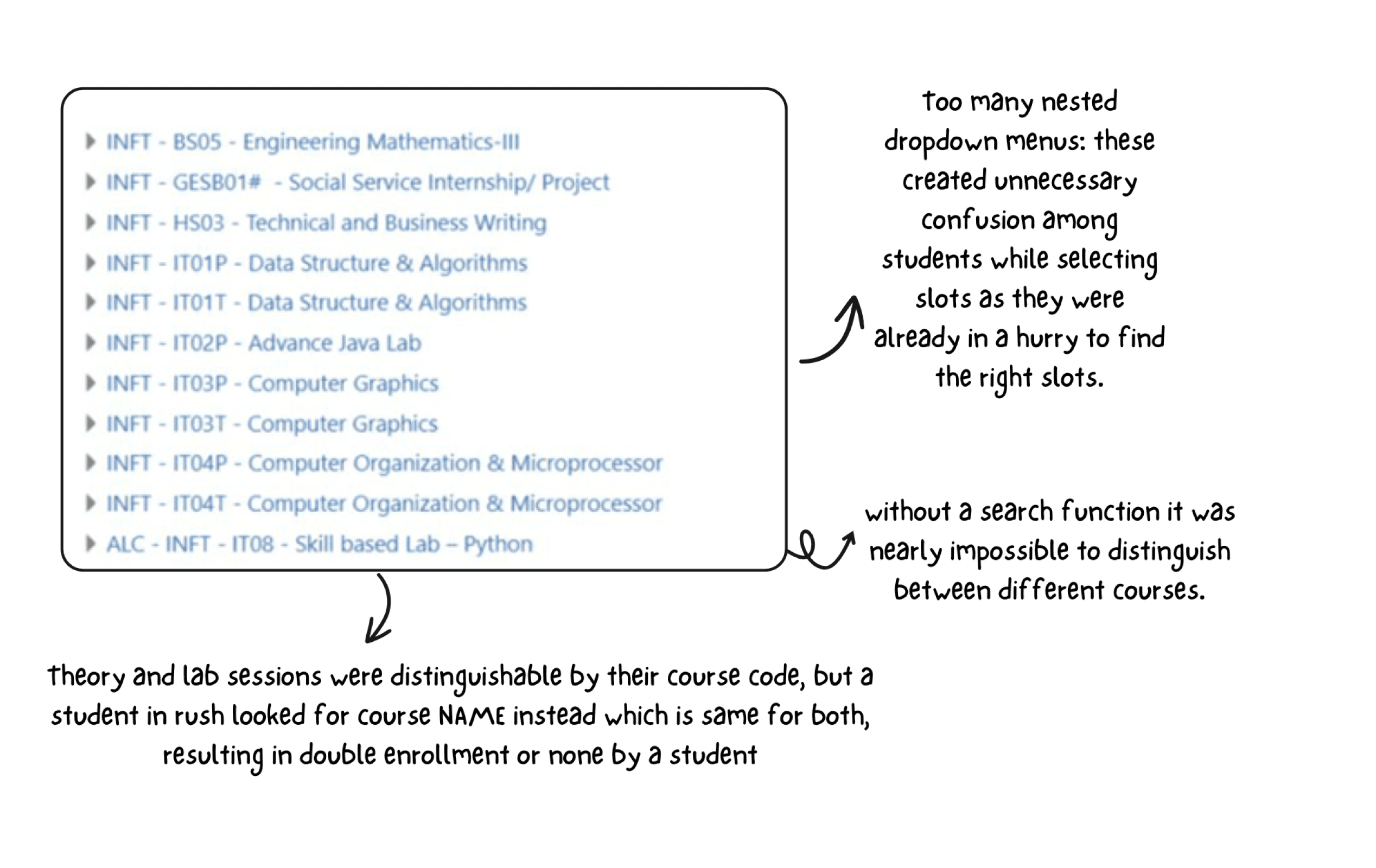
ISSUES: Important information buried deep
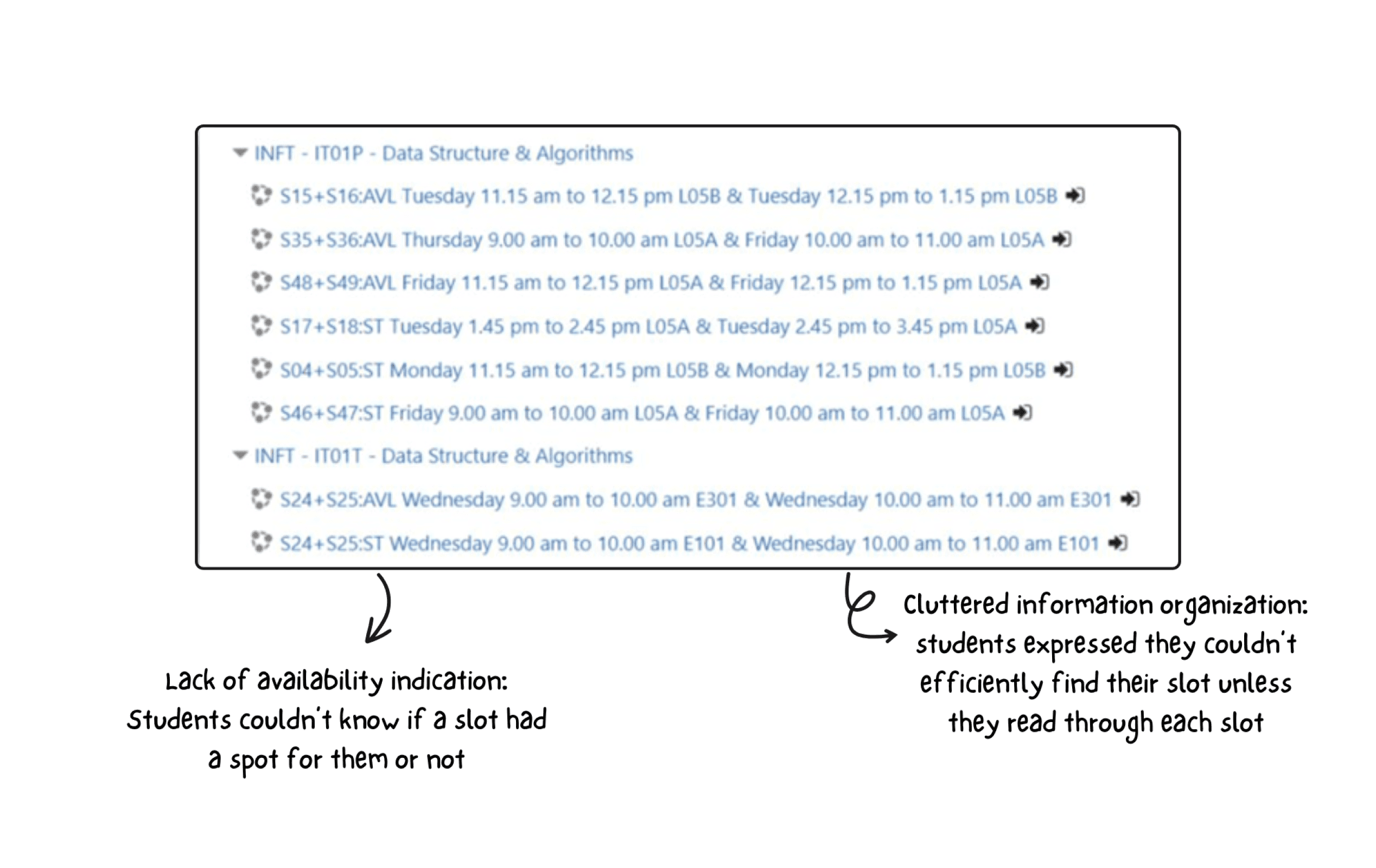
ISSUES: Lack of availability indicators
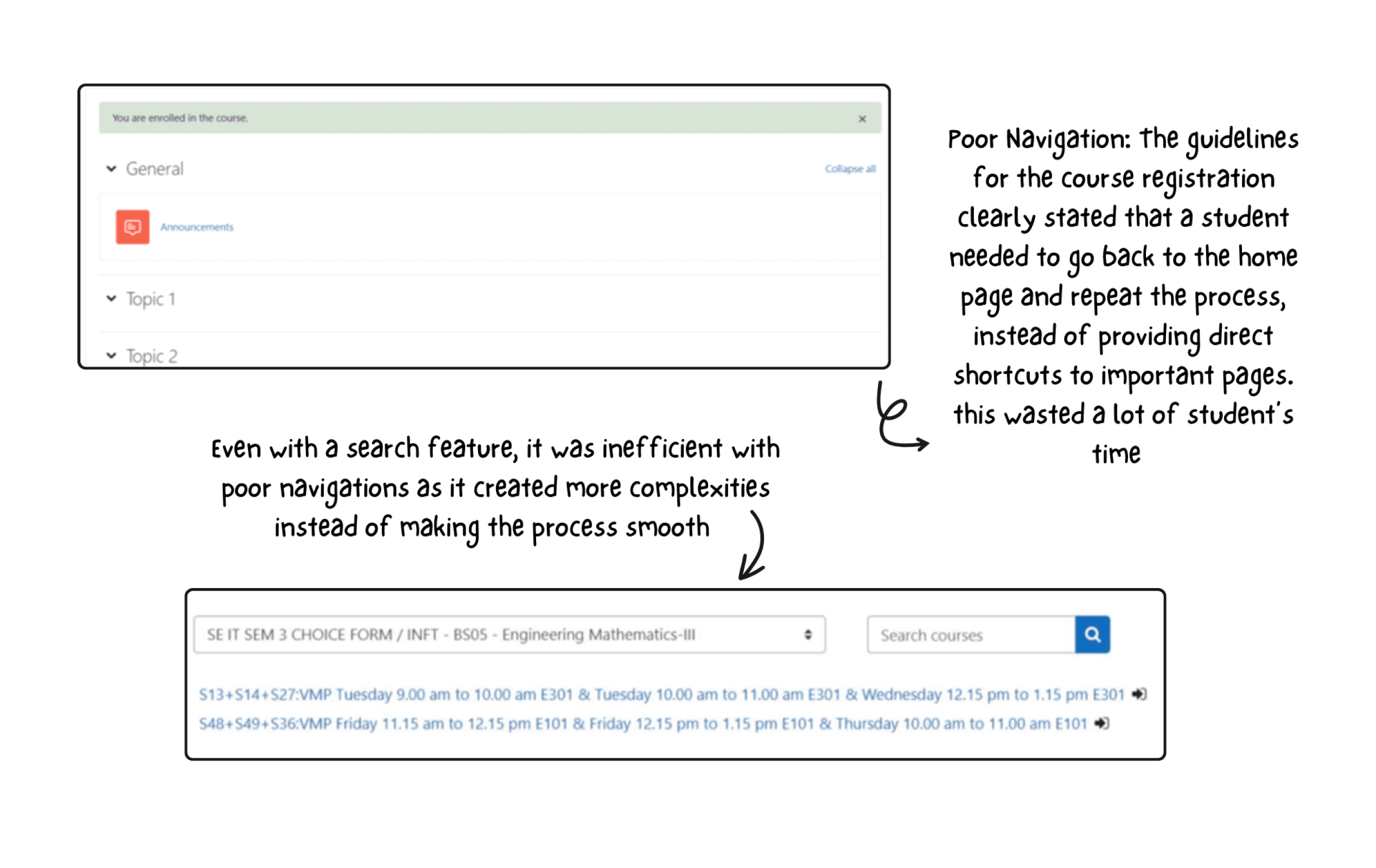
ISSUES: Navigation + Inefficient search feature
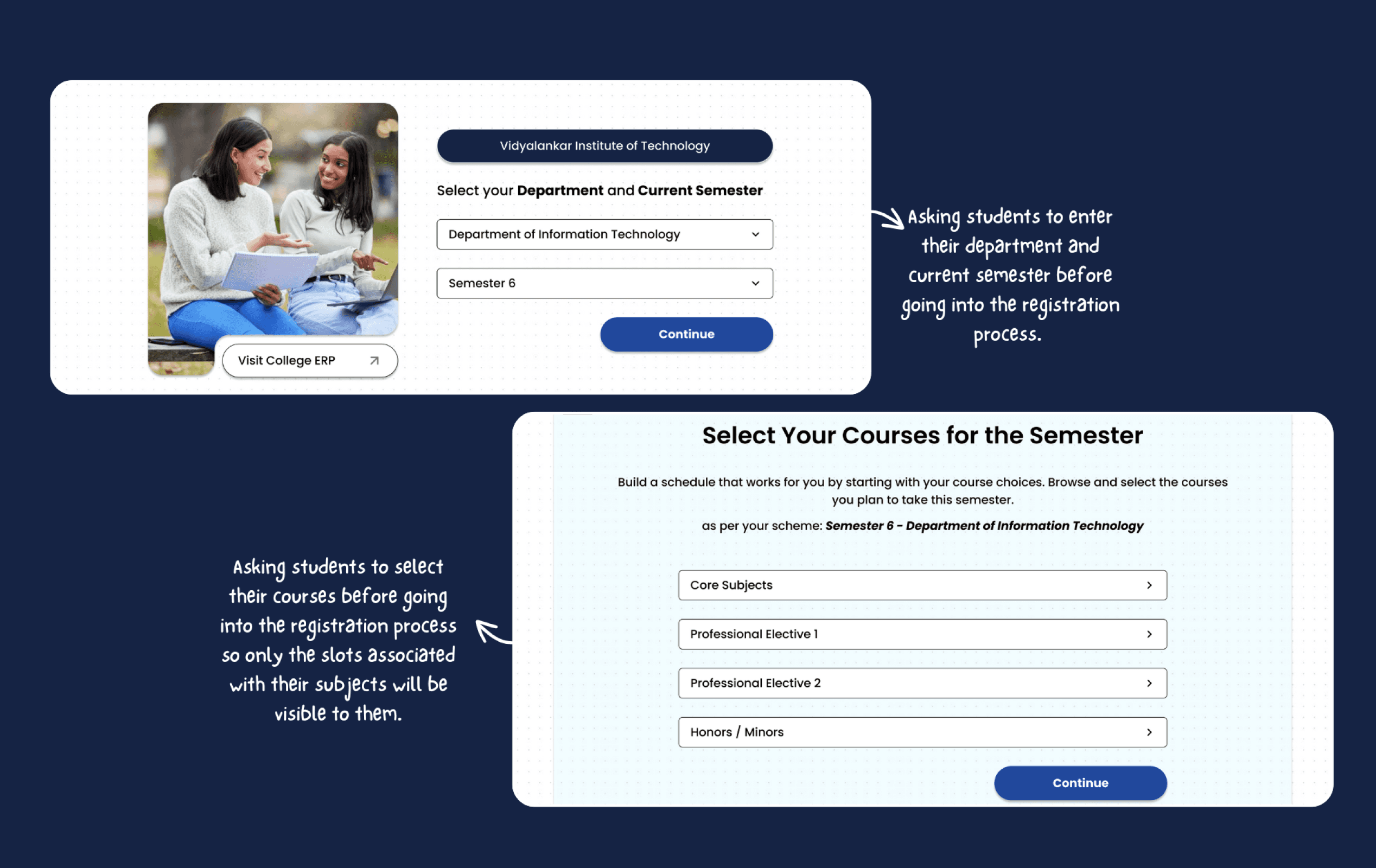
SOLUTION: Eliminating non important courses before student’s registration process
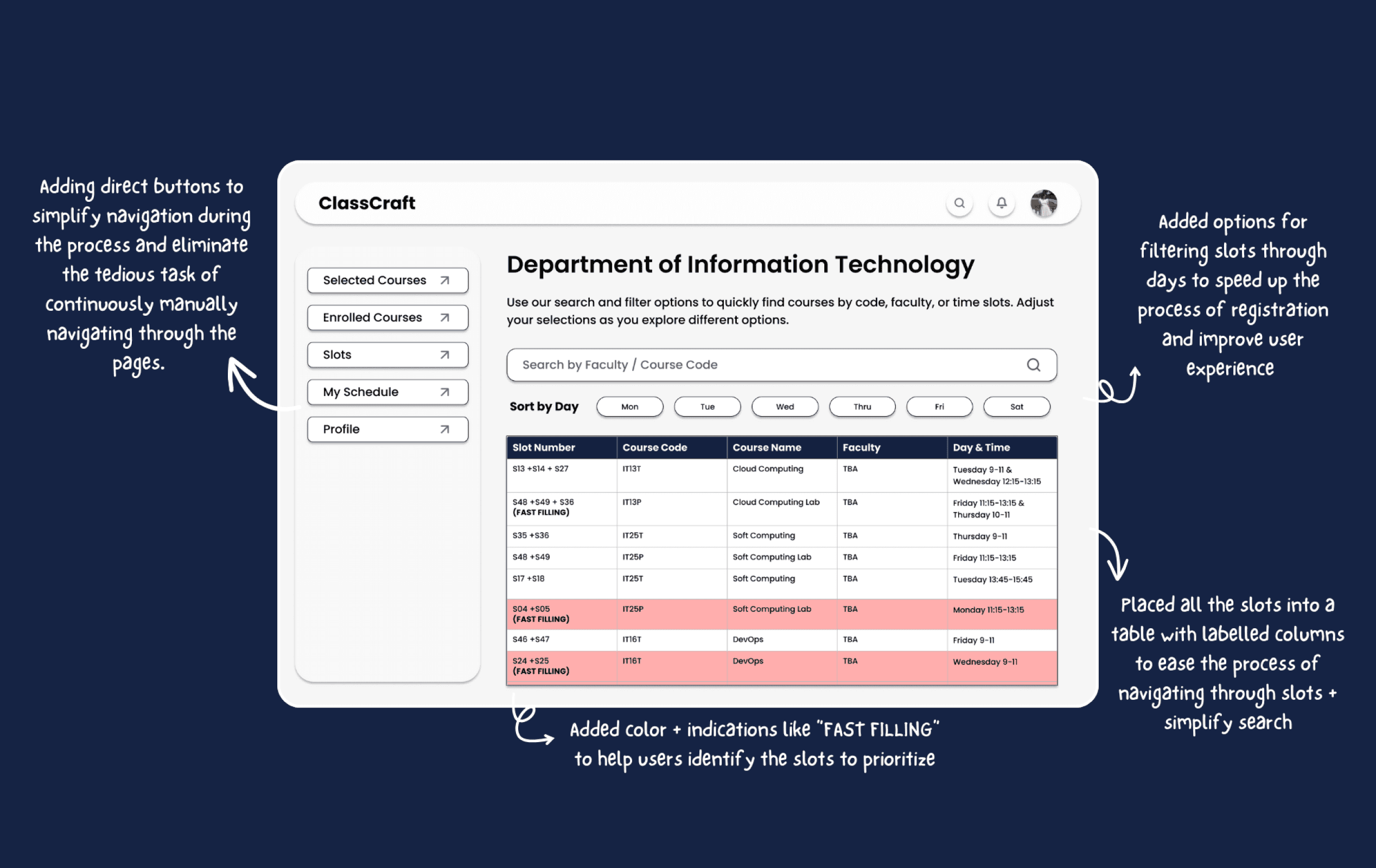
SOLUTION: Better navigation + Color coding and indicators + Simplified information organization + Easier search and sort features
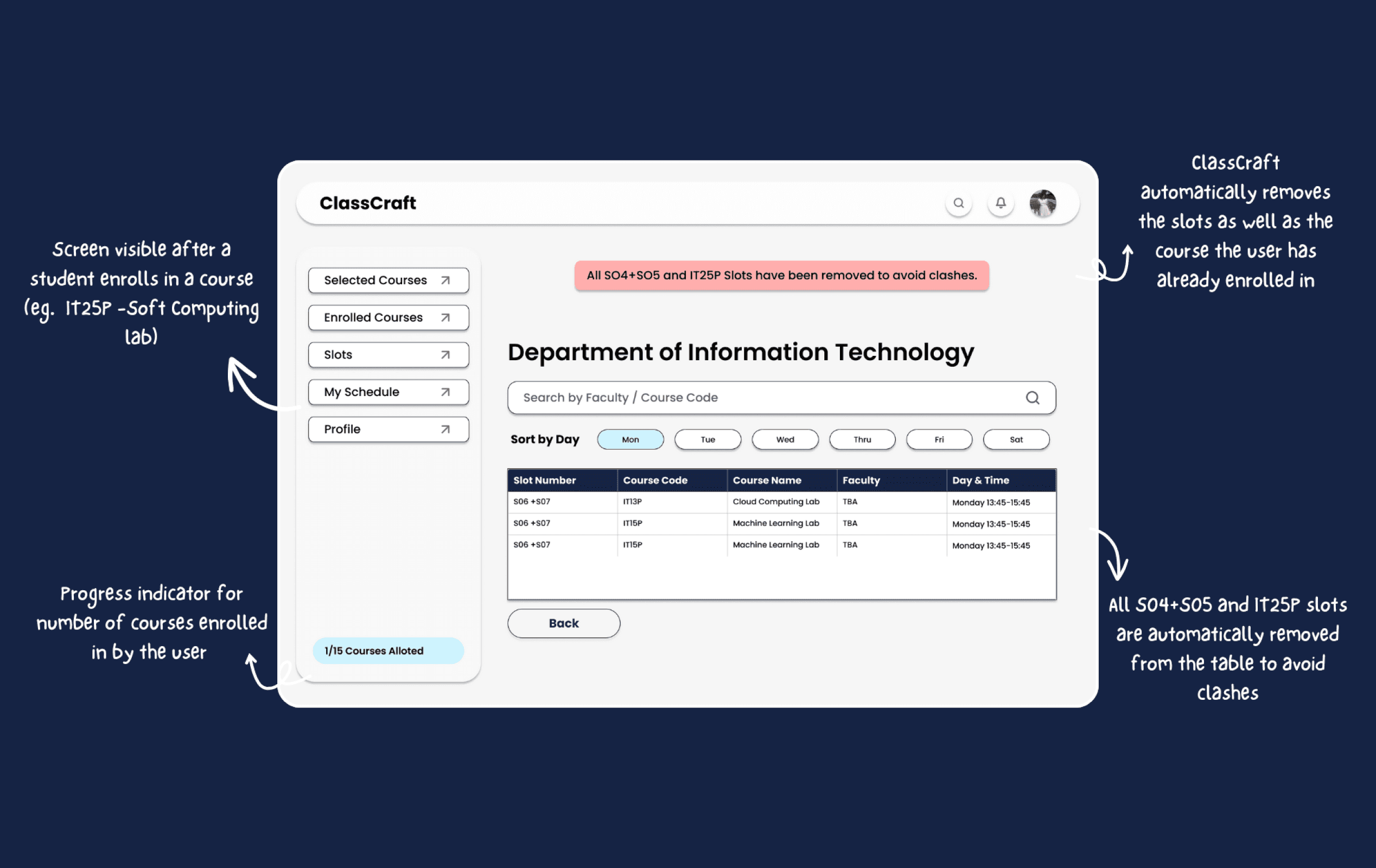
SOLUTION: Removing slots + courses user has already enrolled in to avoid clashes
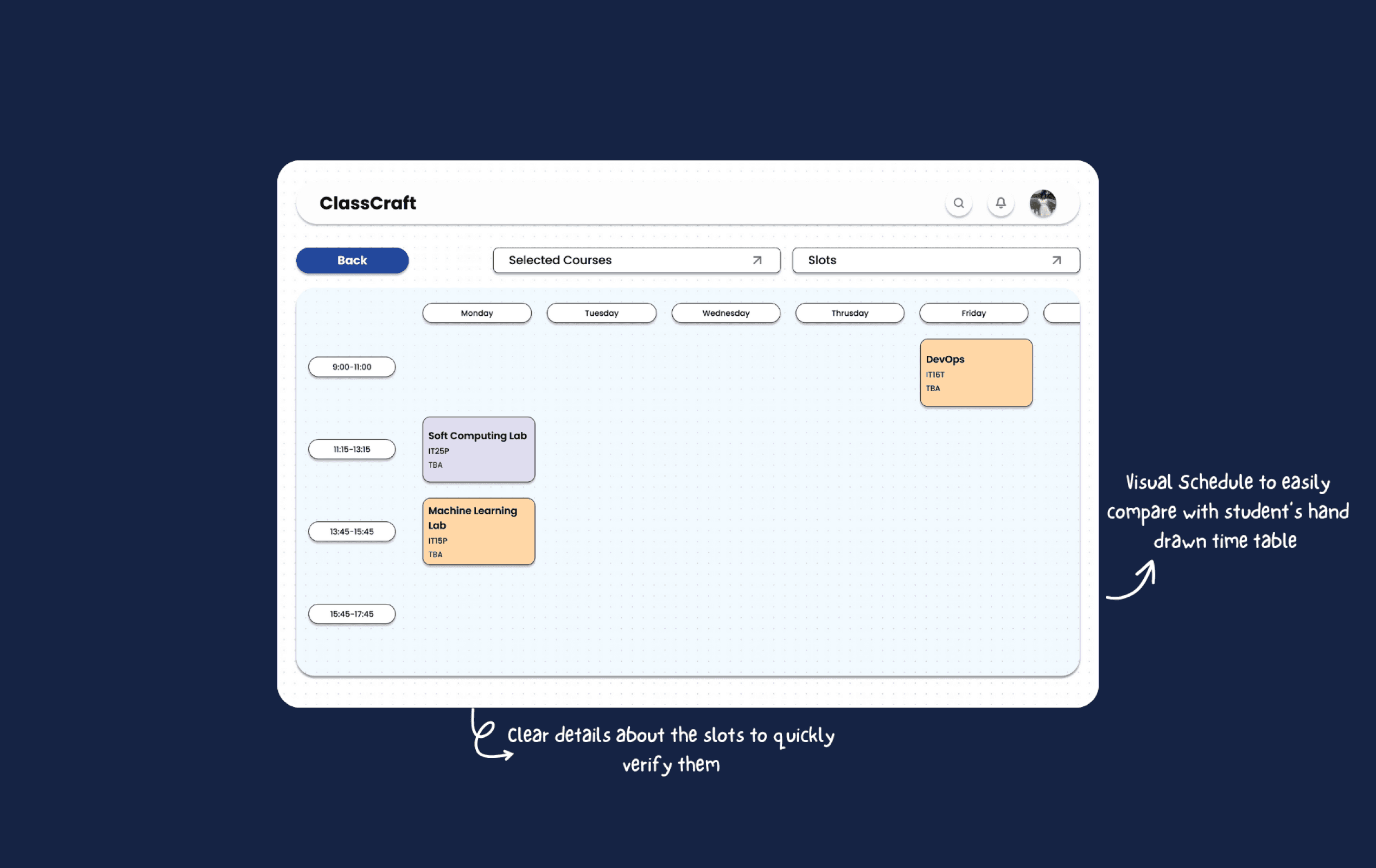
SOLUTION: Visual schedule with important course details to help student verify their schedule during the process
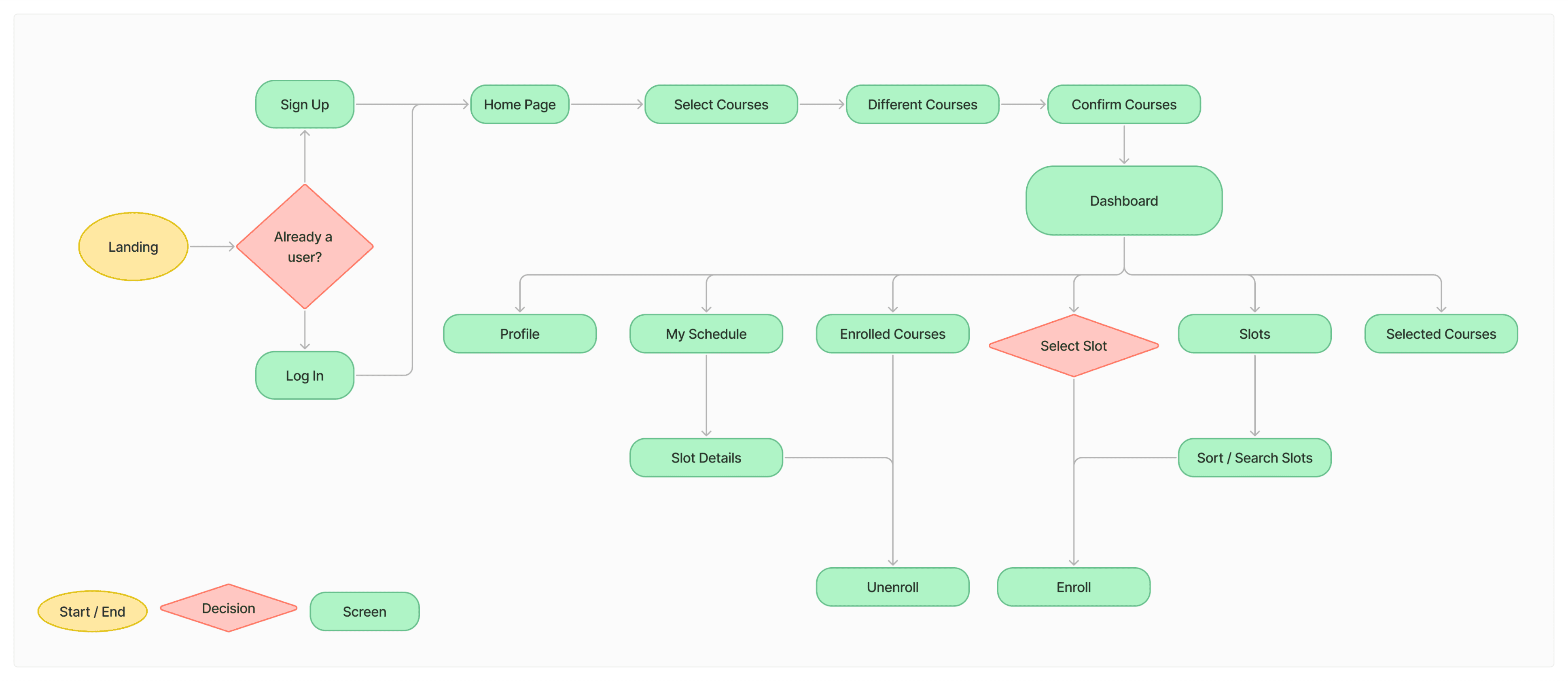
ClassCraft User Flow
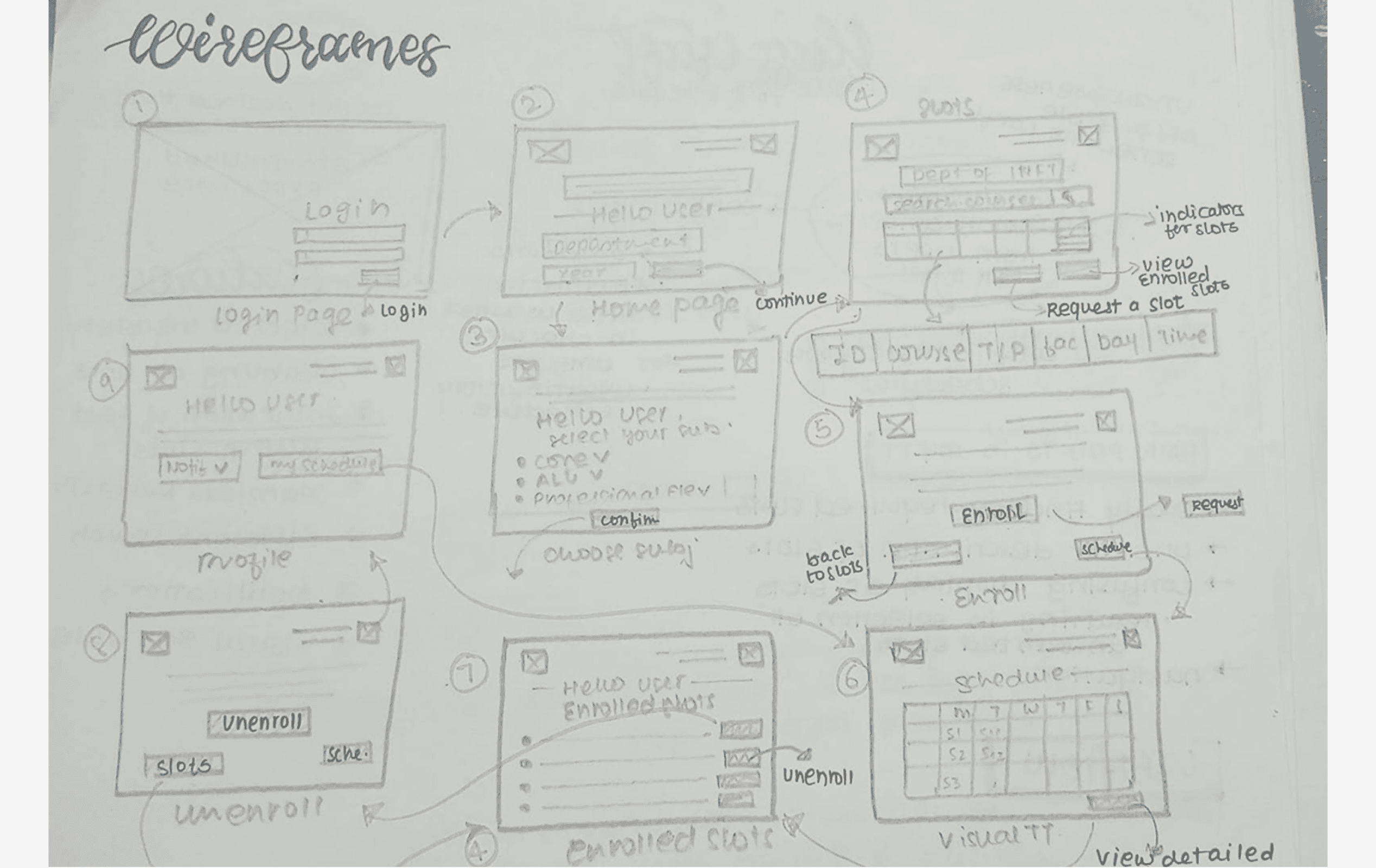
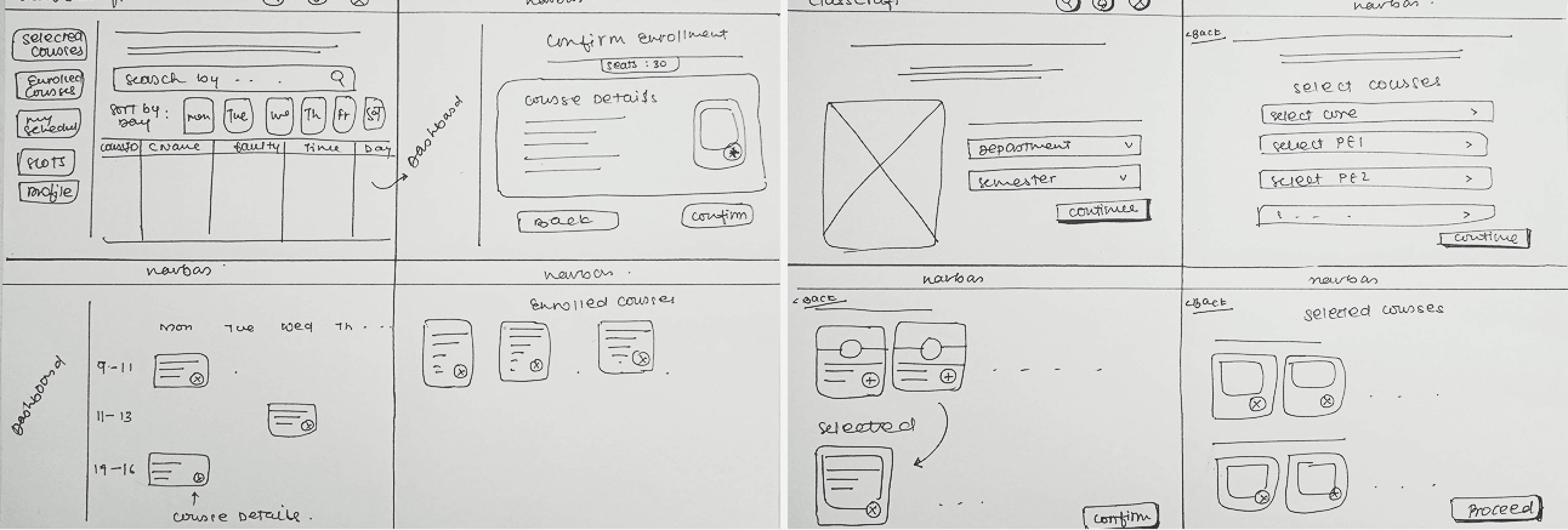
Paper Wireframes
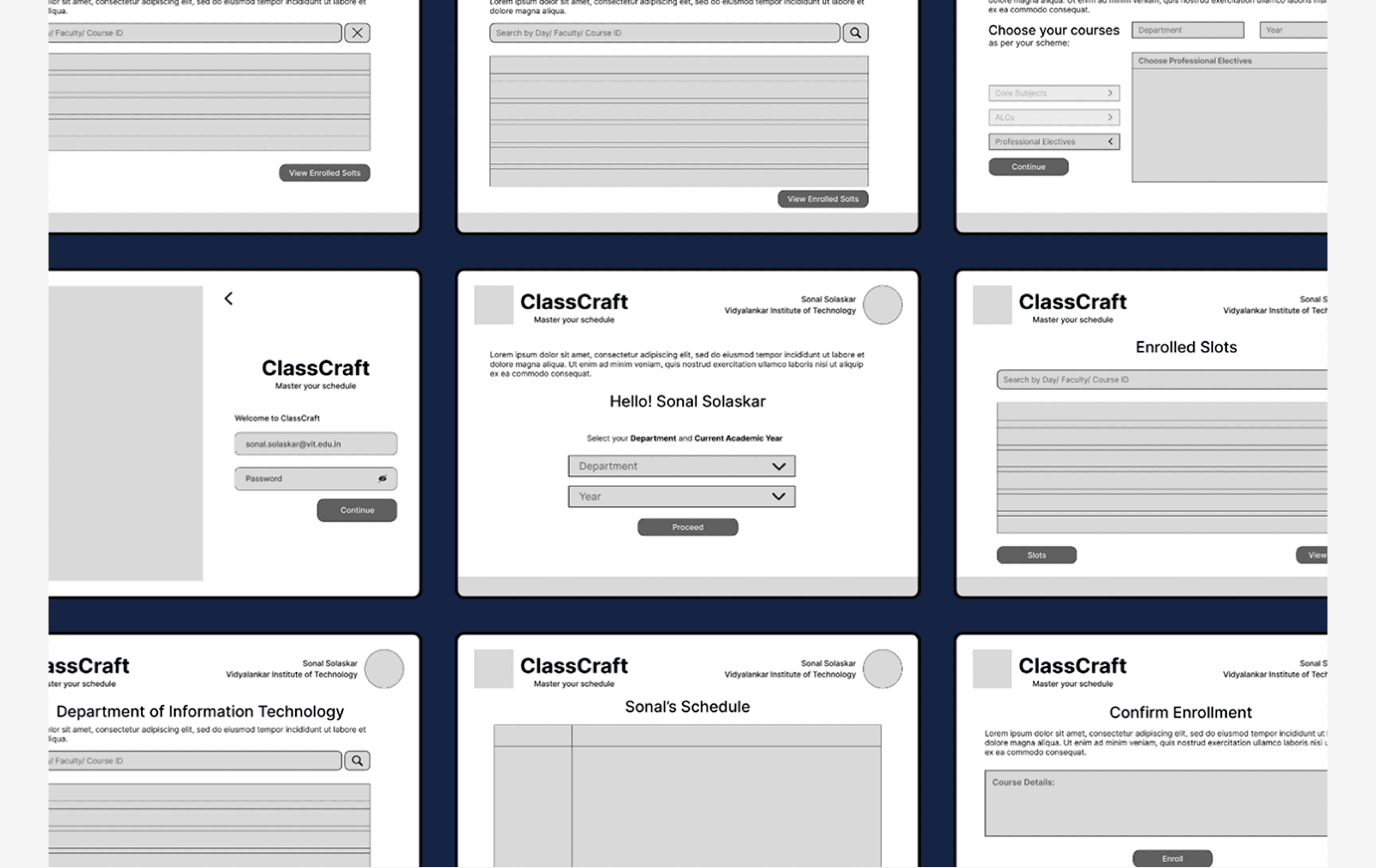
Digital Wireframes
INSIGHTS: POSITIVE FEEDBACK & SCOPE OF IMPROVEMENT
Navigation throughout the process was well received.
Participants expressed that having tables for most pages made it a little difficult to differentiate between pages.
Testers conveyed that the search feature could be made more efficient.
Redesigned Wireframes
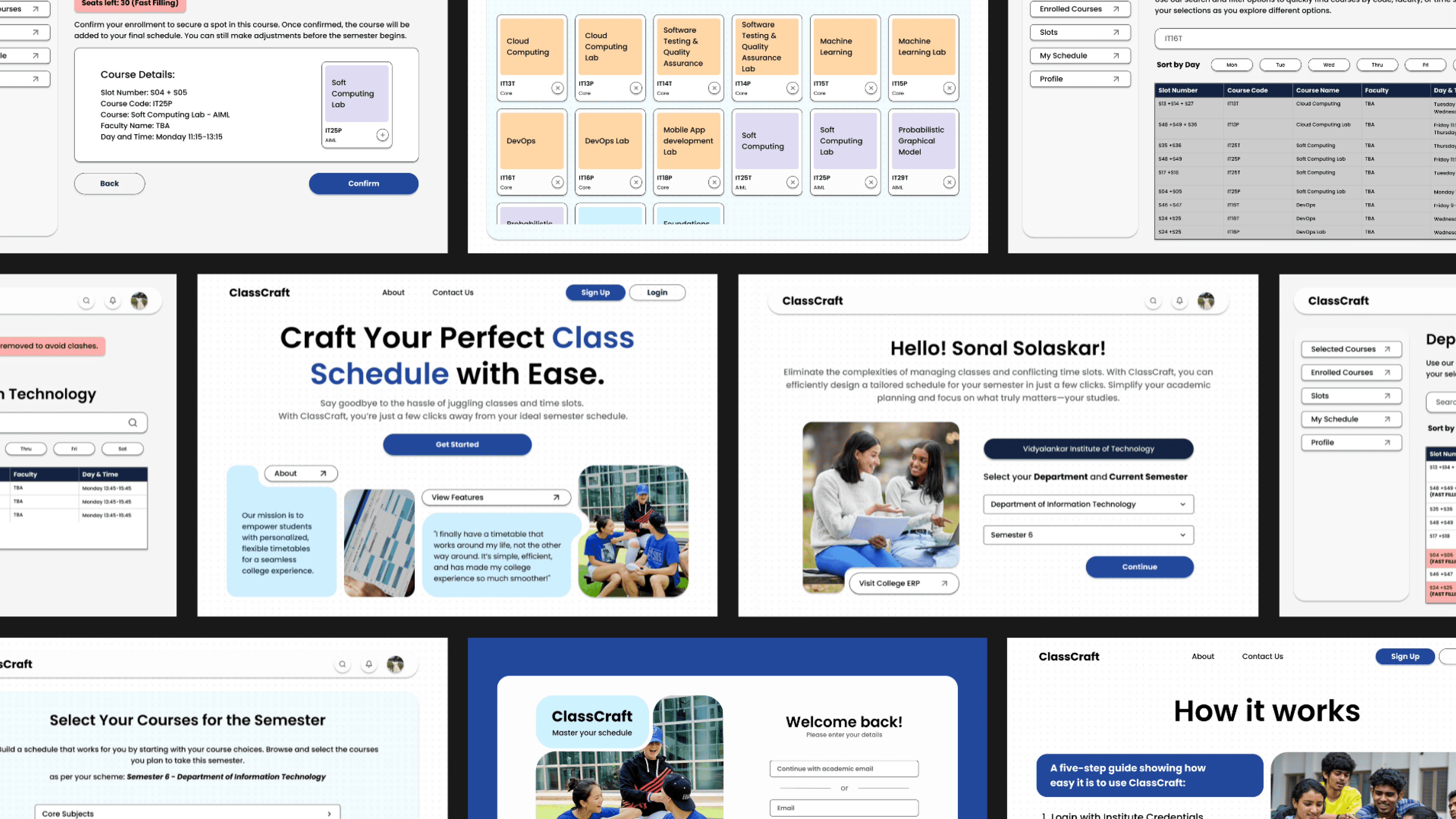
Final Screens
This journey was both challenging and rewarding as I continuously iterated on this project through user feedback, trial and error, and constant tweaking. What started as a challenge of improving the original website and it’s ux has evolved into something that, I feel, really connects with the users it’s meant to serve. It’s been an incredible learning experience where I not only refined my design skills but also grew more patient and resilient throughout the process. I’m excited to see how this project will continue to grow, and I’m even more excited to apply everything I’ve learned to my future projects.
WHAT I LEARNT
I learned the significance of continuous reflection, especially when things didn't go as planned. Whether it was refining user flows or rethinking interface elements, these moments helped me refine my design and sharpen my problem-solving skills.
This project pushed me to become more adaptable, more thoughtful in my design choices, and more confident in my ability to create meaningful user experiences.
EDITORS NOTE
This was my first web design project and I conducted extensive research for this project, I felt proud of the ux part of this case study but also realized that there’s so much more to learn about web design and the only way forward is way up! skilling up in web design, especially responsive web design :)
Got a creative idea? lET’S cONNECT
Whether you’re building something from scratch or just want to brainstorm an idea, I’d love to hear from you.